- Joined
- Apr 20, 2018
- Messages
- 8
- Reaction score
- 2
Hi,
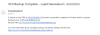
We are currently having issues with the 3CX FTP backups. It worked well in the past and the last few days we have following message:
3CX Phone System tried to backup but failed due to the following reason(s):
System.Exception: System.IO.IOException: Unable to write data to the transport connection: An existing connection was forcibly closed by the remote host. ---> System.Net.Sockets.SocketException: An existing connection was forcibly closed by the remote host
at System.Net.Sockets.NetworkStream.Write(Byte[] buffer, Int32 offset, Int32 size)
--- End of inner exception stack trace ---
at System.Net.Sockets.NetworkStream.Write(Byte[] buffer, Int32 offset, Int32 size)
at System.Net.FtpClient.FtpSocketStream.Write(Byte[] buffer, Int32 offset, Int32 count)
at System.Net.FtpClient.FtpDataStream.Write(Byte[] buffer, Int32 offset, Int32 count)
at System.IO.Stream.InternalCopyTo(Stream destination, Int32 bufferSize)
at _3cxNetBackupAndRestore._3cxBackup.FinishingTask()
at _3cxBackupRestoreImpl.BackupRestoreUtils.Backup(IFilesystem filesystem, String instanceId, String cfgPath, String dbConnectionString, BackupConfig options, String fullpathFilename, Boolean sendEmail)
at BackupRestoreSchedule.BackupJob.Execute(IJobExecutionContext context)
-------------
FTP session timeouts were both extended to 1800 seconds for control and data channels but did not solve the issue.
3CX server version: 15.5.15502
If you have any idea or already faced this issue, thanks for your inputs and help
Best regards.
Benoit.
We are currently having issues with the 3CX FTP backups. It worked well in the past and the last few days we have following message:
3CX Phone System tried to backup but failed due to the following reason(s):
System.Exception: System.IO.IOException: Unable to write data to the transport connection: An existing connection was forcibly closed by the remote host. ---> System.Net.Sockets.SocketException: An existing connection was forcibly closed by the remote host
at System.Net.Sockets.NetworkStream.Write(Byte[] buffer, Int32 offset, Int32 size)
--- End of inner exception stack trace ---
at System.Net.Sockets.NetworkStream.Write(Byte[] buffer, Int32 offset, Int32 size)
at System.Net.FtpClient.FtpSocketStream.Write(Byte[] buffer, Int32 offset, Int32 count)
at System.Net.FtpClient.FtpDataStream.Write(Byte[] buffer, Int32 offset, Int32 count)
at System.IO.Stream.InternalCopyTo(Stream destination, Int32 bufferSize)
at _3cxNetBackupAndRestore._3cxBackup.FinishingTask()
at _3cxBackupRestoreImpl.BackupRestoreUtils.Backup(IFilesystem filesystem, String instanceId, String cfgPath, String dbConnectionString, BackupConfig options, String fullpathFilename, Boolean sendEmail)
at BackupRestoreSchedule.BackupJob.Execute(IJobExecutionContext context)
-------------
FTP session timeouts were both extended to 1800 seconds for control and data channels but did not solve the issue.
3CX server version: 15.5.15502
If you have any idea or already faced this issue, thanks for your inputs and help
Best regards.
Benoit.