3CX Desktop App - context menu placed wrong

Status
Not open for further replies.

VSC

Forum User
Joined
Mar 16, 2020
Messages
110
Reaction score
14
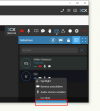
If I try to open the context menu in the new 3CX Desktop App of a user who is listed at the bottom of the userlist the menu is not shown completely. Thus some buttons are not cklickable. You should ensure that the menu is always displayed completely.
1639129094122.png
 
Hi @VSC,

Thanks for posting this. We're aware of this, and we're currently working on a fix.
 
  • Like
Reactions: VSC
If you want another small cosmetic issue, at least in app v18.7.7 in the chat screen the "Forward" arrow covers the checkmarks in the chat so the tooltip can't show. It can just barely work for a double checkmark but the single checkmark is covered by the dropdown arrow. I was trying to remember what a single check meant yesterday and couldn't get the tooltip to show. :)
1639152363306.png
 
  • Like
Reactions: Evolute IT
If you want another small cosmetic issue, at least in app v18.7.7 in the chat screen the "Forward" arrow covers the checkmarks in the chat so the tooltip can't show. It can just barely work for a double checkmark but the single checkmark is covered by the dropdown arrow. I was trying to remember what a single check meant yesterday and couldn't get the tooltip to show. :)
View attachment 26532
Same when we try to select text, the cursor keeps selecting the forward button menu.
 
Hi @SteveITS and @ConceptsWeb,

I see what you're saying, but bear in mind that this worked the same way as in v16. I don't think this is a bug, as the visual representation is clear enough I find, grey single tick when sent but not seen. Blue double ticks when seen. I get that this can be more clear with tooltips but then I'd suggest adding it as a feature request.
 
  • Like
Reactions: Evolute IT
Status
Not open for further replies.

Forum statistics

Threads
112,349
Messages
592,027
Members
165,513
Latest member
megalmazan