3CX Desktop App for Mac

Status
Not open for further replies.

Philein

Customer
Joined
Apr 8, 2022
Messages
26
Reaction score
2
Hi,
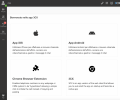
i am not seeing the icon to download the mac os client. Is there a way to force it to appear?
Thanks
 

Attachments

  • Screenshot 2022-05-19 at 18.20.07.png
    Screenshot 2022-05-19 at 18.20.07.png
    176.5 KB · Views: 33
Hi!

This looks like the PWA App.

Open your web browser and open your WebClient and log in there, then you should see the icon for the Mac Client.

The URL for your Webclient will be something like https://<your FQDN>/webclient
 
Hi!

This looks like the PWA App.

Open your web browser and open your WebClient and log in there, then you should see the icon for the Mac Client.

The URL for your Webclient will be something like https://<your FQDN>/webclient
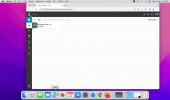
Unfortunately it doesn't show there too Schermata 2022-05-23 alle 09.57.19.png
 
The web client would show you the apple icon in the top. But it seems you are already in the app.
 
The web client would show you the apple icon in the top. But it seems you are already in the app.
Hi nicholas, this is the web interface, not the app. Is there a way to have the native mac app?
 
Can you please provide a full screenshot via PM. We need to be able to see the address bar. You can obscure the address.

First of all, please make sure you are on the latest service pack of 3CX. (Version 18, Update 3, build 461 with the hotfix)
Log in to your web client using your browser. Ignore any shortcuts. Open your browser.
Go to the URL of your web client (From welcome email)
Log in. You should see something like the following.

1653296815115.png

Please send this to me as a PM so we can verify you are actually logged in using the web client. As the 3CX apps all look alike, the smaller screenshots are not really clear where you are authenticated to.
 
  • Like
Reactions: Evolute IT
Status
Not open for further replies.