- Joined
- Feb 17, 2021
- Messages
- 5
- Reaction score
- 1
Hi All,
I am finding erratic behaviour in call logs in Hubspot from 3CX.. The integration and testing seem to be fine but I am finding calls are not consistent and are not pushing through to Hubspot.
I came across one of our sales users mentioning that the Hubspot dashboard was not displaying calls correctly. I looked at a outbound call record on 3CX and and I saw that it is random when a call gets logged, be it answered or unanswered
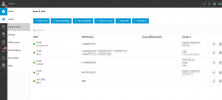
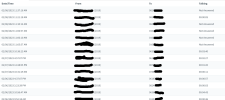
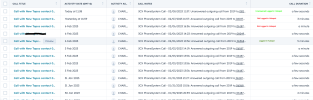
Example logs with a few markings as reference from both Hubspot calls and 3CX call log from the same extension 2019. All numbers are being dialed in the same 10 digit manner aswell.
3CX and Hubspot Call Log - You will see below that I have marked some calls as being logged in Hubspot from the same extension and others aren't from 3CX
Thanks and regards
Vernon
I am finding erratic behaviour in call logs in Hubspot from 3CX.. The integration and testing seem to be fine but I am finding calls are not consistent and are not pushing through to Hubspot.
I came across one of our sales users mentioning that the Hubspot dashboard was not displaying calls correctly. I looked at a outbound call record on 3CX and and I saw that it is random when a call gets logged, be it answered or unanswered
Example logs with a few markings as reference from both Hubspot calls and 3CX call log from the same extension 2019. All numbers are being dialed in the same 10 digit manner aswell.
3CX and Hubspot Call Log - You will see below that I have marked some calls as being logged in Hubspot from the same extension and others aren't from 3CX
- 3CX Version - Standard Annual 18.0.5.418
- Server OS - Debian 10
- Is the 3CX Server Hosted and where? Hosted in AWS
- IP Phone Make/Model/Firmware version, Yealink T23g latest firmware
- Has the Firewall Checker passed: YES
- Are custom Phone Templates being used: NO
Thanks and regards
Vernon