3cx Exam

Status
Not open for further replies.

AlexKupr

Joined
Jun 29, 2018
Messages
4
Reaction score
0
Hello dears,

I want to begin exam but i can't find the exam button on my customer portal.

who can help me please ?
 
Hello @AlexKupr,

I had the same issue.

Click on your name at the top right and then select certifications. You will then be taken to a page with the "Take Test" button.
 
Its under the 3 very small buttons in the top right hand corner, similar to what you get in a Google browser.
 
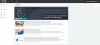
I know that way but it was changed after the last update, actually now i just see logout button.
please look at the image.Capture.PNG .
 
HI AlexKupr,

Have you tried from a different web browser, or clearing your cache?
 
Hi Pact,

Yes i tried other browser and clear in cache but this issue continues now
 
If you already registered through the link i provided, you will receive an email with a token that will allow you to take the exam after your application has been processed.
 
Status
Not open for further replies.

Members Online Now

No members online now.

Forum statistics

Threads
111,832
Messages
589,286
Members
164,662
Latest member
DejanMDS