3CX extension manual registrations details not working and confusing.

Status
Not open for further replies.

Nkosiedread

Free User
Joined
Jul 10, 2019
Messages
24
Reaction score
3
Good day,

Kindly assist,

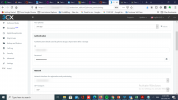
I'm having a challenge registering 3cx extension in ribbon connect sbc for teams calling.
Normally extension details used to be extension number for both ID and Username then extension password.
On 3CX we now have authentication ID and password but when I use these details for ID and Username they don't register even from the phones.
Authentication ID/ extension ID is normally the extension number but in 3CX it's just a string of characters and doesn't work when trying to register an extension with them.

Kindly advise or assist, this frustrating.


Thanks
Nkosana
 

Attachments

  • 3cx2.png
    3cx2.png
    201.9 KB · Views: 31
  • Ribbon2.png
    Ribbon2.png
    217.6 KB · Views: 30
Hi @Nkosiedread,

I've blurred out some details in your screenshots for security. From the screen shot you initially sent, can you try and put the extension number in the SIP username field as it appears to be incorrectly configured?

EDIT:

Previously the SIP username and Auth username used to be the same, but for security reasons, this was changed.
 
Last edited:
Hi VasilisV,

Thank you for your reply and blurring my credentials for security reason.
I did so and still it's not registering, had tried that before too.
On the sip user I put the extension number then on username I put 3cx authentication ID and on password I used the authentication password that goes with the authentication ID but can't register.

What could be the issue ?

Thanks
Nkosana
 
Checked for some registration notification on ribbon sbc and it's saying that it's not getting any response from 3CX.

Surprising,

If change the authentication ID to the extension number and enter the same for sip and authentication username 3CX activity log shows an error of username/password mismatch for the extension I'm trying to register.

See below,
02/18/2021 1:53:07 PM - [CM102001]: Authentication failed for AuthFail Recv Req REGISTER from 8.208.98.204:41110 tid=33db7c2ddbfc729a21cafd106a2ca680530d3e80c95f4dcb5957f7a3608e31 Call-ID=8b332a63aeea9d8dba592225137ec904: REGISTER sip:10.0.0.0 SIP/2.0 Via: SIP/2.0/TCP 172.19.16.25:41110;branch=z9hG4bK33db7c2ddbfc729a21cafd106a2ca680530d3e80c95f4dcb5957f7a3608e31;received=8.208.98.204 Max-Forwards: 70 Contact: 100 <sip:[email protected]:41110> To: 100 <sip:[email protected]:5060> From: 100 <sip:[email protected]:5060>;tag=b3113b900b104beb31ebb3035e2ffa7f Call-ID: 8b332a63aeea9d8dba592225137ec904 CSeq: 2 REGISTER Expires: 1800 Proxy-Authorization: Digest username="100",realm="3CXPhoneSystem",nonce="414d5359602e552381:05edf784380255eb2bee2e1b67ce58e8",uri="sip:10.0.0.05060",response="5666560f6869b32d78c95705f79a6661",algorithm=MD5 Content-Length: 0 ; Reason: Credentials don't match, check that authorization-ID and password match the ones in extension settings


THIS IS CERTAINLY A 3CX BUG
 
Last edited:
THIS IS CERTAINLY A 3CX BUG
I will say this in the simplest and politest way: No

If you want the best experience with 3CX, use supported hardware.

[EDIT]
I slightly misread your answer, my above answer still stands though.
 
Last edited:
I will say this in the simplest and politest way: No

If you want the best experience with 3CX, use supported hardware.

[EDIT]
I slightly misread your answer, my above answer still stands though.


Hi Nick,


I'm using supported hardware only, tested this from Yealink t41s and the Ribbon SBC connect they both supported.
Why would registering an extension be complicated. I have done that 1000's times before and I'm still doing the same exact way but the extension won't registered.

This started when extension id and authentication id where no longer the same from there I have never had a successfully manually extension registration.
 
Status
Not open for further replies.