Unsupported 3CX Firewall on windows server 2019 -

Status
Not open for further replies.

howar

Silver Partner
Joined
Feb 18, 2022
Messages
36
Reaction score
4
Dear,
Greeting

I have a problem with 3CX installed on windows server 2019.
all ports are blocked even after making port forward to 3CX and DMZ from the router.
on windows server firewall allowed all ports.
https://www.3cx.com/docs/ports/ mentioned inbound and outbound f
Untitled.jpg

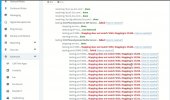
the gateway is registered successfully with 3CX through 5060 but the 3CXblocked it 10.10.10.202:5060
22.jpg
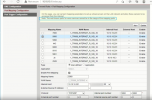
As you see the gateway attached is registered with 3CX

Please advice
 

Attachments

  • gateway.png
    gateway.png
    44.2 KB · Views: 7
Firstly, disable Windows firewall to eliminate this.

What is your network topology?

what is your router?
 
  • Like
Reactions: ChrisC_3CX
If the firewall checker is failing then I'm afraid port forwarding on the firewall might not be configured correctly.

You might want to check our firewall configuration guide which also includes quick-guides for commonly used firewalls near the end of the document: https://www.3cx.com/docs/manual/firewall-router-configuration/
The guides may of course be a bit outdated but the main settings should at least be similar to current versions of the firewall so hopefully you can find the info useful.

Also, I'd recommend taking a look at our documentation explaining how the firewall checker works as this info may help you understand what settings on your firewall may be preventing the test from completing successfully.
 
Firstly, disable Windows firewall to eliminate this.

What is your network topology?

what is your router?
I disabled the windows server firewall and check the reply same results.
it's a simple network there is one PoE switch cisco connected to the Huawei router (10.10.10.1) the DHCP from the router.
for sure DMZ for 3cx to open the ports.
If the firewall checker is failing then I'm afraid port forwarding on the firewall might not be configured correctly.

You might want to check our firewall configuration guide which also includes quick-guides for commonly used firewalls near the end of the document: https://www.3cx.com/docs/manual/firewall-router-configuration/
The guides may of course be a bit outdated but the main settings should at least be similar to current versions of the firewall so hopefully you can find the info useful.

Also, I'd recommend taking a look at our documentation explaining how the firewall checker works as this info may help you understand what settings on your firewall may be preventing the test from completing successfully.
I have disabled the firewall and map ports in the router and still giving the same result and
moreover, the IP can't detect dynamically the Public IP (IP changes).
 

Attachments

  • firewall disable.png
    firewall disable.png
    221.4 KB · Views: 7
  • 2022-02-24_15h34_16.jpg
    2022-02-24_15h34_16.jpg
    108.7 KB · Views: 8
Ah okay then.

Sounds like you're on a carrier-grade nat (CNAT).

I think your only option is to move your 3CX to the cloud and set up an SBC as they dont allow port forwarding due to multiple customers using the same WAN IP.
 
Sounds like you're on a carrier-grade nat (CNAT).
Can you confirm if this is the case? Because if yes, you might indeed need to move to the cloud as @kieferschild already mentioned.

If however you will be using a local gateway, you might not necessarily need port forwarding. Will all 3CX clients be local to the PBX too? How will your setup be exactly?
 
Ah okay then.

Sounds like you're on a carrier-grade nat (CNAT).

I think your only option is to move your 3CX to the cloud and set up an SBC as they dont allow port forwarding due to multiple customers using the same WAN IP.
I don't think so we can move to cloud as per customer already installed on-premise which very bad news
 
Can you confirm if this is the case? Because if yes, you might indeed need to move to the cloud as @kieferschild already mentioned.

If however you will be using a local gateway, you might not necessarily need port forwarding. Will all 3CX clients be local to the PBX too? How will your setup be exactly?
I have already made port forward and DMZ through the router.
I did the same installation in a different location, the 3CX was on VMware not windows server within the same router model everything works fine. but I don't know what the problem is with installing on the windows server even the sip FXO gateway refuse to register with 3CX but the gateway registered the 3cx IP without any issue
 
I have already made port forward and DMZ through the router.
I did the same installation in a different location, the 3CX was on VMware not windows server within the same router model everything works fine. but I don't know what the problem is with installing on the windows server even the sip FXO gateway refuse to register with 3CX but the gateway registered the 3cx IP without any issue
The same installation with the same internet provider?

Are you using a support FXO gateway using the template to set up? Because this should work fine as it's internal.
 
The same installation with the same internet provider?

Are you using a support FXO gateway using the template to set up? Because this should work fine as it's internal.
yes, the same internet provider, for another customer had Vmware 6.5. same router same settings(DMZ,port forward, everything works fine for the customer and public dynamic IP & FQDN great.

but this customer wants to use Windows Server for 3CX on-premise
all extensions have registered with 3CX, the problem with FQDN (firewall issue) and Gateway FXO doesn't work and registered with 3CX
 
If the extensions have registered with 3CX then the OS firewall isnt blocking (assuming clients are on LAN).

Can you set up the gateway using the IP of the 3CX as the FQDN is probably resolving to the external IP (try pinging it on the LAN).
 
  • Like
Reactions: ChrisC_3CX
Can you set up the gateway using the IP of the 3CX as the FQDN is probably resolving to the external IP (try pinging it on the LAN).
From the screenshot it would seem @howar is already using the local IP but do correct me if I'm wrong.

@howar Do you know for a fact that this gateway was indeed setup using the "Generic Gateway Device" template before when it was working? I'm afraid we cannot provide much information or assistance if it is not a 3CX Supported FXO gateway.
 
If the extensions have registered with 3CX then the OS firewall isnt blocking (assuming clients are on LAN).

Can you set up the gateway using the IP of the 3CX as the FQDN is probably resolving to the external IP (try pinging it on the LAN).
just to explain, the IP of 3CX:10.10.10.201/24 - IP of Gateway: 10.10.10.202/24

Yes, there are (8) IP Phone extensions already registered successfully with 3CX, and work fine.
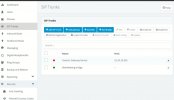
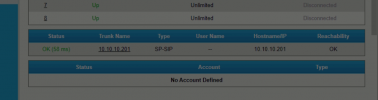
the gateway already connected to 3CX is normally you can see below the status green and reachable,
FQDN is pingable from LAN and WAN network and still firewall giving error.

Note: you can see the trunk from 3CX to Gateway offline in the attached.

gateway status
fine.jpg
 

Attachments

  • 3cx to trunk.png
    3cx to trunk.png
    12.2 KB · Views: 3
At this point you're going to have to stick 3CX in to verbose mode and check the event and activity logs.

Make sure there are no 3rd party apps/AV on this machine.
 
From the screenshot it would seem @howar is already using the local IP but do correct me if I'm wrong.

@howar Do you know for a fact that this gateway was indeed setup using the "Generic Gateway Device" template before when it was working? I'm afraid we cannot provide much information or assistance if it is not a 3CX Supported FXO gateway.
Yes, I'm using local IP Which is: 10.10.10.0/24
for IP PBX 3CX 10.10.10.201
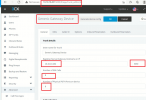
for Gateway: 10.10.10.202 the generic gateway with port 5060.
 

Attachments

  • GATEWAY5.png
    GATEWAY5.png
    156.8 KB · Views: 7
If you've made sure you're only using the Gateway's and PBX's local IPs in the configuration and also used the correct Auth IDs and Password and it still does not work I think what @kieferschild mentioned would be the way to go:
At this point you're going to have to stick 3CX in to verbose mode and check the event and activity logs.

Make sure there are no 3rd party apps/AV on this machine.

This way you'll at least be able to determine if registration requests sent by the gateway are reaching 3CX at all.
 
Folks!
I have solved the problem with Gateway
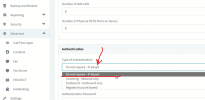
I've changed it to IP Based on no authentication and registered and it's reachable my bad.

It's a new machine there is no app or any AV installed on this machine only 3CX and installed wired shark to check now.
the problem now is FQDN is why it's not working
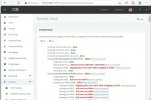
I can ping but I can't access or register the extension with it remotely. and why still blocking 9000-10999 on the firewall.
 

Attachments

  • fix-gateway-not-reachable.png
    fix-gateway-not-reachable.png
    116.8 KB · Views: 6
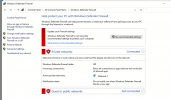
  • firewall error.jpg
    firewall error.jpg
    239.9 KB · Views: 6
CGNAT
 
As @kieferschild already mentioned, if this is a Carrier Grade NAT then you might not be able to do much for remote 3CX Clients or SIP Trunks that do not use a local gateway.

Also, do note the message seen in your router's config:
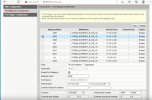
1645715716293.png

You might want to consider reaching out to your ISP for more info.
 
As @kieferschild already mentioned, if this is a Carrier Grade NAT then you might not be able to do much for remote 3CX Clients or SIP Trunks that do not use a local gateway.

Also, do note the message seen in your router's config:
View attachment 28178

You might want to consider reaching out to your ISP for more info.
Thanks, folks
have a nice day
 
  • Like
Reactions: ChrisC_3CX
Status
Not open for further replies.

Latest Posts

Forum statistics

Threads
111,990
Messages
590,163
Members
164,926
Latest member
tohoken1