- Joined
- Sep 8, 2026
- Messages
- 1
- Reaction score
- 0
Hello, I have a question.
I've been experimenting with Fax services, and after successful testing I've got blacklisted.
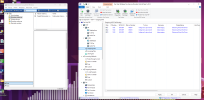
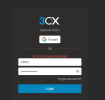
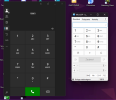
This is what I got after trying to log in via the beta 3CX client and MicroSIP.
I used Fax VoIP FSP (virtual Fax) and the legacy Windows Fax and Scan app. I believe my PC was sending requests to the FSP fax server too fast, which led to the blacklist.
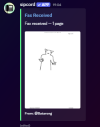
Here's an example of what I was doing with the fax via Discord and the fax driver.
Since 3CX has SIP, the SIP from the vFax also runs on 127.0.0.1 (The same IP my selfhosted 3CX SBC runs on (but not the same port!)), it was probably forwarding it to the SMB, which forwarded it to the PBX.
Is there a way to get this fixed?

Cheers
- Batarong
I've been experimenting with Fax services, and after successful testing I've got blacklisted.
This is what I got after trying to log in via the beta 3CX client and MicroSIP.
I used Fax VoIP FSP (virtual Fax) and the legacy Windows Fax and Scan app. I believe my PC was sending requests to the FSP fax server too fast, which led to the blacklist.
Here's an example of what I was doing with the fax via Discord and the fax driver.
Since 3CX has SIP, the SIP from the vFax also runs on 127.0.0.1 (The same IP my selfhosted 3CX SBC runs on (but not the same port!)), it was probably forwarding it to the SMB, which forwarded it to the PBX.
Is there a way to get this fixed?
Cheers
- Batarong