Solved 3CX for Android does not ring but show missed calls afterward

Status
Not open for further replies.

jamesnb

Free User
Joined
Apr 9, 2021
Messages
46
Reaction score
4
Hello there,
So I decied to try out the new Alpha PBX and also, the beta version of 3CX for Android and iOS.
Below is the information on the Android phone that I used to do the test
  • Phone Model: [CAT S41]
  • Android Version: [Android 8.0]
  • App Version: [16.7.4.74]
  • 3CX PBX Version: [18.0.1142] / [Debian]
  • Network Connection: [WiFi] [IPv4]
  • Client is on the same network as the PBX or not? YES, both are on the same LAN as PBX
For the PBX: Setup as new debian on a Hyper-V using the 3CX Alpha-3 iso
Firewall passed all test, all green. Dashboard show no red in any field
iPhone: version 8, running iOS 14.5.1 (just updated today). 3CX app for iOS version: 16.1.7.96
Codes are set as: 729-PCMA-PCMU-722-OPUS in all General settings and Extension

1/ Android calls iPhone: Working OK, no problem. Just sometimes the "signal" status show "yellow" color although both phones are connected to a wireless access point about 5 feet away

2/ iPhone calls Android - 2 scenarios:

2.1/ If the 3CX app is running in the background: Android did not ring at all. iPhone hangs up, Android show "missed" calls immediately

2.2/ If the 3CX app app is opening, the Android phone did a very brief vibration and showing call drops icon on the top left corner.

In both cases, I check the sound, all are on, no silent. Check the "push" settings in the PBX, all "ticked".

What am I missing here?
Thank you
 
Last edited:
I just tried your extensions on a Pixel 5 (Android 11) and a Xiaomi 9T Pro (Android 10) that I had available and PUSH incoming calls seem to work fine, so it appears that this is not a problem with the PBX.

The only other factors I can think are:
  • The network your Android is on
  • The Android device itself
 
I just tried your extensions on a Pixel 5 (Android 11) and a Xiaomi 9T Pro (Android 10) that I had available and PUSH incoming calls seem to work fine, so it appears that this is not a problem with the PBX.

The only other factors I can think are:
  • The network your Android is on
  • The Android device itself
So you use an iPhone with 3CX app to call an Android with 3CX app and it works fine?
 
I called from a Windows App to the Android App and it worked.

Are you saying that if you call from the Window App it works, but when you call from the iOS App it doesn't?
Could you try this also?
 
Oh, I don't have a windows phone to try... I only have iPhone and this S41 running Android 8.0
Does 3CX also have desktop app for Windows 10?
 
This is strange...
So I created 2 new extension, sent to my emails and one for the Androi and other one for the Windows.
Windows calls to Android, the exact same thing: If the 3CX app is open, it vibrate for a sec and the call seems to be dropped. If the app is running in background, nothing will happen until caller hang up, then it will show "missed" calls...
My windows 10 machine desktop does not have a mic, but I do have speaker, however, I cannot hear anything from either the iPhone or Android calling... This might be another issue though...
So then what exactly should I need to tackle?
The PBX server is install on Windows Hyper-V, on our main LAN
The Windows 10 machine is on the same LAN
The android and iphone is on WIFI network that connect to the same main LAN...
But iPhone to iPhone is OK
So strange....
 
So, to clear things up for you. By the time one Android rings SOMEWHERE in the world, it means that the PBX and the 3CX Software is OK.

As I said, the only 2 other factors that I can think of are:
  • The network your Android is on (might be blocking traffic from Google, not Apple?)
  • The Android device itself (0if you have another more "mainstream" device to try, that might be good)
 
So, to clear things up for you. By the time one Android rings SOMEWHERE in the world, it means that the PBX and the 3CX Software is OK.

As I said, the only 2 other factors that I can think of are:
  • The network your Android is on (might be blocking traffic from Google, not Apple?)
  • The Android device itself (0if you have another more "mainstream" device to try, that might be good)
Talking about the network, we only have a Pi-hole which block the Ads from websites... The Windows Server 2019 where the PBX is hypervisored, is using the DNS of the Pi-hole.
Do you think this would make any different?
And you mentioned, blocking the traffic from Google, how could we check for this?
Thank you
James
 
Let me try and explain a bit differently. The 3CX Client getting and incoming call using PUSH is a two-step process.

1st step
The 3CX Server sends the PUSH request to the Google PUSH Servers.
This obviously is happening, because the Android phones I tried work.

2nd step
Google PUSH servers know which devices in the world need to be notified for the PUSH message they received in step #1. Now they try to send the PUSH message to these devices.

For the reasons mentioned, my guess is that the problem is on step #2.

So, is there anything on the WiFi APs that could be blocking? Have you tried over LTE?
Switch to LTE, make an outgoing call to *777 to ensure you have network connection, kill the app, then try calling it again.

If this fails, I suggest trying yet another device as a test just so that we can try and narrow down where the problem is.
Also, if LTE and internet connection are from the same provider, try the Wifi of a different ISP. There have been cases where the ISP is blocking or delaying the PUSH messages.
 
Last edited:
So I bring both phones to a cafe shop
- Both connected to public WIFI
- Both connected to 4G
- One connect to WIFI and other to 4G, vice-versa
In all cases:
- Android to iPhone: No problem
- iPhone to Android: No ring, nothing. After hang up, just a missed call

I notice one little thing:
In the Android app, tap on the "status" icon (where you can choose available or away, etc...), the under "Miscellaneous", I see 3 option:

- Also ring my Mobile: The tick box is greyed out, cannot tick/untick
- Accept Push Notification box: ticked
- Accept multiple call: ticked

Anyway I can't tick/untick this "Also ring my Mobile" -- it looks obviously to me that becaus this is untick, it wont ring the Android!!!? Just my guess
 
Last edited:
Anyway I can't tick/untick this "Also ring my Mobile" -- it looks obviously to me that becaus this is untick, it wont ring the Android!!!? Just my guess
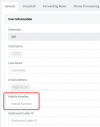
When this option is checked, your 3CX Server will ring your Extension but in parallel attempt to make a call to the number you have in the "Mobile Number" field in the Management Console, via your SIP Trunk.

This option does not affect incoming calls to your Extension to your registered endpoint (like your Mobile App).
I am guessing that the reason this option is grey'd out is because you don't have a "Mobile Number"?
1620196239905.png
 
That is right, I do not have a mobile number for this Android phone. I just use 4G SIM card only for the purpose of testing this 3CX app on Android
Still though, I can't think of anything about this strange behavior. iPhone to iPhone have no issue. Android to iPhone, no issue. Just this iPhone to Android got this issue...
I even called Google to check (we are using a few Google services) but they said it is beyond their control (the 3CX softphone and server) so they can't offer any particular helps in this case
Our IT guys said the testing environment for the 3CX server has no firewall in it so eliminate the blocking of network to both phones. All phones, 3CX server, WIFI network are on the same LAN also...
Am I missing anything else?
Thank you
 
Ok, to solve your questions, the fact that iPhones receive PUSH message means that 3CX Server <--> Apple PUSH Servers and Apple PUSH Servers <--> iPhones is working fine.
So this is why calls to iPhones work fine. That should make it clear.


Now to Android:
  • 3CX Server <--> Google PUSH Servers seems to work fine. If it didn't, the 2 phones I tested when connected to your PBX wouldn't work either but they did. This should also be clear.
  • Google PUSH Servers <--> each Android Phone. This is most likely where the problem is. To the 2 devices I checked and worked, this must be working fine. This could be the problem in your case.
The only other factor is the device.
Do you have some other Android phone to try?
 
I am asking my friend to lend me his Samsung Android phone and I will try later.
In the meanwhile, reverted back to the stable v.16 of the 3CX server, installed original apps for Android and iPhone to test.

Interesting enough:

1/ iPhone to iPhone: OK (no change since the Alpha and latest beta of the 3CX app)

2/ Android to iPhone: NOT OK - ring once and go to VM

3/ iPhone to Android: NOT OK - ring once and go to VM

So I am convinced that it is probably not because of the devices (phones). It maybe more of the App and the communication (ports) with the 3CX server that I must be missing somewhere...

But where? Any ideas?
 
Last edited:
I have this issue too with an Android device.

I was using extn 20 for the android but it wouldn't ring so I created a new extn 11 and it started to ring my Android device ok, however the next day it stopped ringing the Android.

No matter what I do, I cant get the Android to ring

v 16.7.4.74
 
I have this issue too with an Android device.

I was using extn 20 for the android but it wouldn't ring so I created a new extn 11 and it started to ring my Android device ok, however the next day it stopped ringing the Android.

No matter what I do, I cant get the Android to ring

v 16.7.4.74
What is the brand of your Android phone and what's the version of the Android installed on the phone?
Mine was the CAT S41, Android version 8.0
My case, it did ring 1 or 2 times, and then go to Voicemail right after that.
 
Latest updates on this:
So I decided to reinstall the V16 and start from the scratch again.
All is good, server is up and run OK. Firewall checks all pass, green color
Create 3 extensions two for 2 x iPhones and one for an Android phone version 8.0 (still use the CAT S41 phone)
Both phones are connected to the same LAN wifi, same as the Server
I also restarted the Router and the WIFI access point as well.
Here is what happening:
- LAN iPhone to an 4G iphone: straight to Voicemail (was working previously)
- Android to iPhone: straight to Voicemail (was working previously)
- iPhone to Android: straight to Voicemail (never be able to get it to work)

Nothing has changed since I last test the Alpha server...
Any ideas?
 
Status
Not open for further replies.

Forum statistics

Threads
112,147
Messages
590,959
Members
165,167
Latest member
Finatra.us