- Joined
- Jun 30, 2024
- Messages
- 7
- Reaction score
- 1
I've been looking at other posts on this forum to people with the same issue, however none of their solutions worked for me.
Just to briefly explain my network, I have a DSL line coming in from BT, which goes into EE's provided router, I'm stuck using this router at the moment due to our analog phones currently relying on EE / BT's digital voice service.
My actual network is behind a pfSense firewall, which links out of one of the lan ports of the BT into the pfSense's WAN port. Unfortunately my ISP provided router doesn't have any form of bridge mode, however I am able to place my firewall into the DMZ, which has worked for other use cases, I can run game servers out to the internet just fine, and use services like openVPN to tunnel into my home network whenever I am away from home and need to access my NAS or PC.
My EE Router is on the 192.168.3.xxx range, as 192.168.3.254, and on the WAN side my pfSense router has a static IP of 192.168.3.250. On the LAN side my pfSense router is 192.168.0.1 and my 3CX VM is 192.168.0.11
In terms of setting up 3CX, I'm using a Proxmox VM for the first time, as it would be great to be able to deploy one machine with many VM's running on it, but for the moment there is just one 3CX instance on it. When looking on how to setup my firewall with 3CX, I came across this guide which I have followed, but I'm still running into cone test failures: https://www.3cx.com/docs/pfsense-firewall/
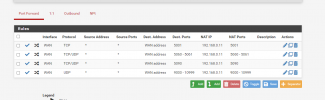
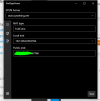
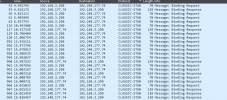
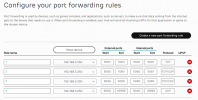
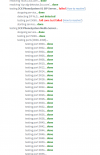
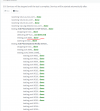
Below are some screenshots of my NAT & Firewall rules, and other relevant settings.
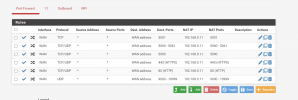

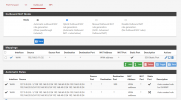
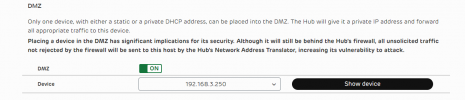
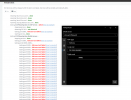
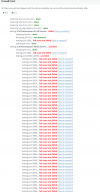
HTTP & HTTPS Ports were allowed through just to see if I could log onto 3CX from the internet, which I can, which seems odd. If I can access the 3CX webpage both from my IP and domain provided by C3X, as well as OpenVPN, why am I getting all of these errors with the firewall check?
Just to briefly explain my network, I have a DSL line coming in from BT, which goes into EE's provided router, I'm stuck using this router at the moment due to our analog phones currently relying on EE / BT's digital voice service.
My actual network is behind a pfSense firewall, which links out of one of the lan ports of the BT into the pfSense's WAN port. Unfortunately my ISP provided router doesn't have any form of bridge mode, however I am able to place my firewall into the DMZ, which has worked for other use cases, I can run game servers out to the internet just fine, and use services like openVPN to tunnel into my home network whenever I am away from home and need to access my NAS or PC.
My EE Router is on the 192.168.3.xxx range, as 192.168.3.254, and on the WAN side my pfSense router has a static IP of 192.168.3.250. On the LAN side my pfSense router is 192.168.0.1 and my 3CX VM is 192.168.0.11
In terms of setting up 3CX, I'm using a Proxmox VM for the first time, as it would be great to be able to deploy one machine with many VM's running on it, but for the moment there is just one 3CX instance on it. When looking on how to setup my firewall with 3CX, I came across this guide which I have followed, but I'm still running into cone test failures: https://www.3cx.com/docs/pfsense-firewall/
Below are some screenshots of my NAT & Firewall rules, and other relevant settings.
HTTP & HTTPS Ports were allowed through just to see if I could log onto 3CX from the internet, which I can, which seems odd. If I can access the 3CX webpage both from my IP and domain provided by C3X, as well as OpenVPN, why am I getting all of these errors with the firewall check?