3CX FXS Provising Templates

Status
Not open for further replies.

SweetAction

3CX MVP
Gold Partner
Joined
Jan 19, 2018
Messages
3,462
Reaction score
2,321
Hello,
Does anyone know where/how I can modify the FXS templates?

Need to enable auto-dial for a bunch of grandstream devices, but it looks like I need to go custom template to do so.

Thanks
 
Generally one edits the phone templates from the Templates icon of Settings.
Not sure what you mean by 'auto-dial'.
N.B.: While you may customize your phone template - this will put your pbx in a 'not supported by 3CX' state.
 
Hi @SweetAction

We do not provide a method for custom templates on FXS and I would strongly recommend not to modify our tested 3CX templates. Provision the device normally based on the 3CX guide and if you wish to change anything on the device just remove the provisioning URL after you have confirmed its working, and make the changes you wish.

This will ensure that if it misbehaves you can at least reprovision it as per our template and regain compatibility, but Allen said this is not supported. If you modify the internal 3CX files you might not be able to go back to a working state and need to reinstall the system. I don't recommend you modify the FXS UI settings but at least this way you can go back to stock.
 
Generally one edits the phone templates from the Templates icon of Settings.
Not sure what you mean by 'auto-dial'.
N.B.: While you may customize your phone template - this will put your pbx in a 'not supported by 3CX' state.

Right, but FXS devices are not phones to 3CX and those templates do not show up in that location.
FXS is used to connect analog devices to 3CX - now imagine a "house phone" in a hotel (a phone that is in a public area that is only used to contact the operator). The desired action is that when you pickup the telephone, it automatically dials the operator extension. This is known as autodial. Or a phone in an elevator. Or a doorbell/intercom that you've tied into your phone system. All these may not have keypads and the desired action is to have them auto-dial when you press a button/take it offhook.

You can Google "off hook auto dial" to learn more.

Hi @SweetAction

We do not provide a method for custom templates on FXS and I would strongly recommend not to modify our tested 3CX templates. Provision the device normally based on the 3CX guide and if you wish to change anything on the device just remove the provisioning URL after you have confirmed its working, and make the changes you wish.

This will ensure that if it misbehaves you can at least reprovision it as per our template and regain compatibility, but Allen said this is not supported. If you modify the internal 3CX files you might not be able to go back to a working state and need to reinstall the system. I don't recommend you modify the FXS UI settings but at least this way you can go back to stock.
Thanks for confirming there is no custom template method for FXS. Maybe in a future update or maybe offhook autodial can be built in. the ATA's support it, it's a line in the UI.

EDIT:

1) Answering my own question
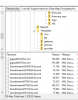
11539

2) Apparently I can't post in Ideas subforum. What's the new requirements to be able to post there?
 
Last edited:
I'm all for the off-hook auto dial feature. I think you have to be platinum partner to post in ideas now.
 
@aws2p
Yeah, that explains it.
@kieferschild
Maybe one will see this and repost there or a mod can move this.
 
Phones (ATAs) that make use of autodial, should not be making up more than a handfull of the total sets being used. The settings should not be changing that often, if at all. I would simply do as
@JohnS_3CX suggested earlier, auto provision, make the required manual changes, then disable any updates to future provisioning..
 
Status
Not open for further replies.

Forum statistics

Threads
111,933
Messages
589,809
Members
164,807
Latest member
Smax