3CX Integration Issues with Dentally

Status
Not open for further replies.

ReeceWallace

Platinum Partner
Advanced Certified
Joined
Nov 20, 2019
Messages
25
Reaction score
10
Hi,

I am fairly new to Integrating with CRM's via 3CX.

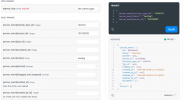
I have used the 3CX Template wizard to assist with setting up a Dentally Template (attached)

I am facing an issue in which, when the Scenario ID is empty, I receive the error "The value cannot be an empty string or composed entirely of whitespace. (Parameter 'name')"

and when I complete this with =LookupByNumber it will then not be able to locate any of the CRM records (the CRM Log will also be empty.

I have attached the response I also get from the search using postman. (Placeholder in place of sensitive info)

This is on V20 of 3CX.

Any assistance is appreciated!
 

Attachments

The ID for the lookup must be empty. However, this error indicates a problem elsewhere in either the variables or outputs.
 
This expression is wrong, you can't use indexers in the rule like what you're doing:
$.patients[0].id
 
I've attempted so many different variations and none seem to work.

patients.id
.patients.id
$.patients.id

I have noticed in my template when clicking show template, my header value keys are gone and replaced with "". I am not sure if this is normal however?
 

Attachments

The rule should be set to just:
patients.id

That will cause that each record in the array is processed. If the API returns many records, you will have variables and outputs for each one. Only the first matching record will be considered and shown in the Web Client.
 
Hi All,

Thanks for your assistance! I have managed to get the contact lookup working.

I am not entirely sure what was wrong but started fresh and succesful.
 
Hi All,

Discovered an Issue when my JSON response is an Array

"phones": [
{
"id": 124531540,
"value": "02031952222",
"phone_type_id": 139844
},
{
"id": 124531541,
"value": "+12129608323",
"phone_type_id": 139843

I have tried using filters such as below

</Variable>
<Variable Name="PhoneBusiness" Path="people.phones.value">
<Filter>
<Rule Type="Equals" Ethalon="139844">people.isDefault</Rule>
</Filter>
</Variable>
<Variable Name="PhoneBusiness2" Path="people.phones.value">
<Filter>
<Rule Type="Equals" Ethalon="139843">people.isDefault</Rule>
</Filter>
</Variable>

But this doesn't seem to work and doesn't populate the output

Started scenario with empty id
Request text: https://app.loxo.co
Response text: {"scroll_id":"5B33322E3535323430322C3135333735303738395D","total_count":1,"people":[{"id":153750789,"name":"Reece Wallace","profile_picture_thumb_url":"/profile_pictures/thumb/missing.png","location":null,"address":null,"city":null,"state":null,"zip":null,"country":null,"current_title":"Mr","current_company":"TCG","current_compensation":null,"compensation":null,"compensation_notes":null,"compensation_currency_id":1,"salary":null,"salary_type_id":null,"bonus_payment_type_id":null,"bonus_type_id":null,"bonus":null,"equity_type_id":null,"equity":null,"person_types":[{"id":77584,"name":"Candidate"}],"owned_by_id":1221578,"created_at":"2024-03-27T13:20:32.464Z","updated_at":"2024-07-26T09:14:59.906Z","created_by_id":1221578,"updated_by_id":1221578,"emails":[{"id":134983989,"value":"reece@","email_type_id":114331}],"phones":[{"id":124531540,"value":"02031952222","phone_type_id":139844},{"id":124531541,"value":"+12129608323","phone_type_id":139843}],"blocked":false,"blocked_until":null,"list_ids":[],"candidate_jobs":[],"linkedin_url":"https://www.linkedin.com/search/results/people/?keywords=Reece+Wallace","person_global_status":null,"all_raw_tags":"","skillsets":"All Of Them","source_type":{"id":1198861,"name":"Manual"}}]}
Response finished
Variable ContactID set to 153750789
Variable FirstName set to Reece Wallace
Variable CompanyName set to TCG
Variable Email set to [email protected]
Variable PhoneBusiness set to
Variable PhoneBusiness2 set to
Finished scenario with empty id


I'm not entirely sure where I'm going wrong with this.
 
Hi,

Ignore this! Didn't update the details on the filter.

<Variable Name="PhoneBusiness" Path="people.phones.value">
<Filter>
<Rule Type="Equals" Ethalon="139844">people.phones.phone_type_id</Rule>
</Filter>
</Variable>
<Variable Name="PhoneBusiness2" Path="people.phones.value">
<Filter>
<Rule Type="Equals" Ethalon="139843">people.phones.phone_type_id</Rule>
</Filter>
</Variable>

Above Fixed it, Allow Empty set as true
 
Those values 139843 and 139844, you need to check if that's something that could change. 3CX has something like that with Kommo, and to solve this it executes a scenario during the authorization phase to get some IDs for the account, and stores them in variables. Then it uses those variables in the contact lookup scenario. You might need to do something like that.
 
  • Like
Reactions: Evolute IT
They are static and assigned on the crm for 'Work' and 'Personal' ID's, the issue I am facing now is that if two 'Work' caller ID's are put into the CRM, it returns the same ID and only applied the first to the contact. See below

"phones": [
{
"id": 124531540,
"value": "02031952222",
"phone_type_id": 139844
},
{
"id": 124531541,
"value": "+12129608323",
"phone_type_id": 139843
},
{
"id": 144840020,
"value": "07845773607",
"phone_type_id": 139844
}

I am going to do some digging but is there a way I can specify further? The phones.id changes with each entry
 
  • Like
Reactions: Evolute IT
In order to bypass this limitation in other CRMs, for example with Kommo, the standard integration provided by 3CX is generating an output having the phone number being searched, for example:
<Output Type="PhoneMobile2" Value="[Number]" />

This way the record will be considered if it's returned by the CRM, no matter if you are able to match the number or not. You could use this approach in your case.
 
Hi All,

Thanks that Works.

I'm now attempting my first call journal and running into some errors, hoping I might have an easy answer because I am stumped at the moment.

Using Outbound Report Call as an example

<Scenario Id="ReportCallOutbound" Type="REST">
<Request SkipIf="[IIf([ReportCallEnabled]!=True||[EntityId]==&quot;&quot;,True,[IIf([CallType]!=Outbound,True,False)])]" Url="https://app.loxo.co/api/the-comm-guys/person_events" MessagePasses="0" RequestContentType="application/json" RequestEncoding="Json" RequestType="Post" ResponseType="Json">
<Headers>
<Value Key="Authorization">Bearer d0cf2ebc6170b32023d852721daa0e2355b3c206</Value>
</Headers>
<PostValues Key="">
<Value Key="person_event[activity_type_id]" Passes="1" Type="Integer"> "1539711"</Value>
<Value Key="person_event[notes]" Passes="2" Type="String"> just a test</Value>
<Value Key="person_event[person_id]" Passes="1" Type="Integer"> "[EntityId]"</Value>
</PostValues>
</Request>
<Variables />
<Outputs Next="ReportCallNotanswered" AllowEmpty="true" />

This is failing with the below error from the CRM

2024/08/22 11:20:26.715|0030|Debg| [Integration.Crm.Engine.ResultVariableScenarioProcessor] CRM: Performing POST request to 'https://app.loxo.co' with message '{"person_event[activity_type_id]":1539711,"person_event[notes]":" just a test","person_event[person_id]":171840283}'.
2024/08/22 11:20:26.715|0030|Info| [_3CX.HttpClient] Sending 'POST' to 'https://app.loxo.co/api/the-comm-guys/person_events'
2024/08/22 11:20:26.811|0030|Info| [_3CX.HttpClient] Received '422 UnprocessableEntity' after 95.7ms
2024/08/22 11:20:26.814|0030|Erro| [Integration.Crm.Engine.CrmProcessor] CRM: Exception during call reporting
System.Exception: Server returned a non successful status code - HTTPStatusCode=UnprocessableEntity - Reason=Unprocessable Content - Content={"errors":["Invalid parameters: [:\"person_event[activity_type_id]\", :\"person_event[notes]\", :\"person_event[person_id]\", :person_event]"]}

However, this is working from both postman and the CRM's own tester site (below) So i am not sure where this is going wrong. It seems to pick everything up correctly as per the testing request but I get the 422 error.

As always, any help is appreciated!1724322702289.png
 
Hi All,

Just to update, I've managed to replicate the failure in postman.

It seems to only work if my request is sent as x-www-form-urlencoded and I get the 422 error if I send as raw

I am going to do some digging but If you have any suggestions on how to format this correctly on the XML it would be appreciated!
 
First, I would recommend you to remove the quotes from the values here:
<Value Key="person_event[activity_type_id]" Passes="1" Type="Integer"> "1539711"</Value>

and here:
<Value Key="person_event[person_id]" Passes="1" Type="Integer"> "[EntityId]"</Value>

Just set them as:
<Value Key="person_event[activity_type_id]" Passes="1" Type="Integer">1539711</Value>

and:
<Value Key="person_event[person_id]" Passes="1" Type="Integer">[EntityId]</Value>

Regarding the Content-Type, set it in the request, you're setting it to:
RequestContentType="application/json"

Change it to:
RequestContentType="x-www-form-urlencoded"
 
Unfortunately I am still getting the same error

2024/08/22 12:26:37.059|0041|Debg| [Integration.Crm.Engine.ResultVariableScenarioProcessor] CRM: Performing POST request to 'https://app.loxo.co' with message '{"person_event[activity_type_id]":1539711,"person_event[notes]":" just a test","person_event[person_id]":171840283}'.
2024/08/22 12:26:37.059|0041|Info| [_3CX.HttpClient] Sending 'POST' to 'https://app.loxo.co/api/the-comm-guys/person_events'
2024/08/22 12:26:37.244|0005|Debg| Enqueue Updated.SBCRUNTIMEDATA.7
2024/08/22 12:26:37.245|0041|Debg| Dequeue Updated.SBCRUNTIMEDATA.7
2024/08/22 12:26:37.264|0005|Debg| Enqueue Updated.SBCRUNTIMEDATA.7
2024/08/22 12:26:37.265|0041|Debg| Dequeue Updated.SBCRUNTIMEDATA.7
2024/08/22 12:26:37.411|0041|Info| [_3CX.HttpClient] Received '422 UnprocessableEntity' after 352.3ms
2024/08/22 12:26:37.417|0041|Erro| [Integration.Crm.Engine.CrmProcessor] CRM: Exception during call reporting
System.Exception: Server returned a non successful status code - HTTPStatusCode=UnprocessableEntity - Reason=Unprocessable Content - Content={"errors":["Invalid parameters: [:\"person_event[activity_type_id]\", :\"person_event[notes]\", :\"person_event[person_id]\", :person_event]"]}
 
Interesting to see you attempting integration with Dentally as I also want to do this! Would be interesting to see if you get this worksing - I also want to explore using Open AI / Whisper for transcribing calls into correspondence aganst each patine record - do you thnk this would work with this integration in place?
 
Hi!

I have the Dentally integration working fine, unfortunately the devs confirmed for me that there is no method for post into correspondence currently. They are looking into it but no luck unfortunately.

My questions regarding call journaling were for a different CRM,

PS, pasting the transcription into call journals is rather easy, take a look at update 3 Alpha CRM templates.
 
Unfortunately I am still getting the same error

2024/08/22 12:26:37.059|0041|Debg| [Integration.Crm.Engine.ResultVariableScenarioProcessor] CRM: Performing POST request to 'https://app.loxo.co' with message '{"person_event[activity_type_id]":1539711,"person_event[notes]":" just a test","person_event[person_id]":171840283}'.
2024/08/22 12:26:37.059|0041|Info| [_3CX.HttpClient] Sending 'POST' to 'https://app.loxo.co/api/the-comm-guys/person_events'
2024/08/22 12:26:37.244|0005|Debg| Enqueue Updated.SBCRUNTIMEDATA.7
2024/08/22 12:26:37.245|0041|Debg| Dequeue Updated.SBCRUNTIMEDATA.7
2024/08/22 12:26:37.264|0005|Debg| Enqueue Updated.SBCRUNTIMEDATA.7
2024/08/22 12:26:37.265|0041|Debg| Dequeue Updated.SBCRUNTIMEDATA.7
2024/08/22 12:26:37.411|0041|Info| [_3CX.HttpClient] Received '422 UnprocessableEntity' after 352.3ms
2024/08/22 12:26:37.417|0041|Erro| [Integration.Crm.Engine.CrmProcessor] CRM: Exception during call reporting
System.Exception: Server returned a non successful status code - HTTPStatusCode=UnprocessableEntity - Reason=Unprocessable Content - Content={"errors":["Invalid parameters: [:\"person_event[activity_type_id]\", :\"person_event[notes]\", :\"person_event[person_id]\", :person_event]"]}
You're still sending the data as JSON, you should set the RequestEncoding attribute in your scenario request to UrlEncoded:
<Request SkipIf="[IIf([ReportCallEnabled]!=True||[EntityId]==&quot;&quot;,True,[IIf([CallType]!=Outbound,True,False)])]" Url="https://app.loxo.co/api/the-comm-guys/person_events" MessagePasses="0" RequestContentType="x-www-form-urlencoded" RequestEncoding="UrlEncoded" RequestType="Post" ResponseType="Json">
 
You absolute Legend, that was it! working now
 
  • Haha
Reactions: ReeceWallace
Status
Not open for further replies.

Forum statistics

Threads
111,893
Messages
589,598
Members
164,761
Latest member
SaschaA_