Solved 3CX IOS App - not notifications for incoming SMS

Status
Not open for further replies.

northguard

SOHO User
Joined
Dec 18, 2021
Messages
10
Reaction score
1
I have configured SMS through Telnyx and 3CX and while it is functioning correct ( ie., I can send and receive ), I do not get notifications when a text comes in.

I do get notifications for phone calls, but not texts.

I have verified that Notifications are enabled in the iPhone Settings for 3CX, but am not seeing any where else to adjust these settings.
 
Hi!

Do you get notifications for other things in the 3CX App, like incoming calls, Chat messages from other Extensions, missed calls, etc?

Also could you please state what version of the 3CX Mobile App you are currently running and what version your 3CX Server is on?
 
I do get notifications for others, just not texts.

App Version: 18.0.4.242
Server version: v18 Update 3 (Build 461) note: it is hosted with 3CX
 
Could you specifically tell me if you get notifications when some other extension logs into, e.g. their WebClient and send you a chat message?
 
I only have a single extension. I am a one-user 3CX setup.
 
I only have a single extension. I am a one-user 3CX setup.
OK, can you create a 2nd extension then and log into the WebClient from your Computer browser and from there send a normal chat message to the Extension you have provisioned on your iOS device.

Could you also please tell us which iPhone you are using and what version of iOS you currently have installed?
 
Normal chat message resulted in banner popup on iPhone (which then disappears), though no badge on the app like missed calls and such.

Phone is iPhone 12 Pro and IOS is 15.3.1
 
  • Like
Reactions: Evolute IT
Normal chat message resulted in banner popup on iPhone (which then disappears), though no badge on the app like missed calls and such.

Phone is iPhone 12 Pro and IOS is 15.3.1
Let's just stick to the problem you are describing in the original post and leave the badge out.

So to summarize:
  • 3CX Chat from another extension to your iPhone Extension --> Banner popup appears
  • Incoming SMS message to your iPhone Extension --> Banner popup does not appear
Is this correct?

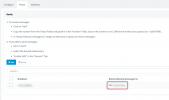
Also please do my a favor, in the 3CX Management Console go to "Messaging", here edit the entry you have created for SMS and select the "Route" tab. Could you tell me where the Inbound Rule is pointing to? Is it directly to the Extension Number that you have provisioned on your iPhone, or something else like a Queue?
1648538629126.png
 
Route is set to my extension, not a queue.

And Badges are more important than anything else as if I miss a banner I have no idea a text came in. So we need to focus on the badge ( which works for phone calls but nothing else )
 
Route is set to my extension, not a queue.

And Badges are more important than anything else as if I miss a banner I have no idea a text came in. So we need to focus on the badge ( which works for phone calls but nothing else )
Badges as far as I'm aware have not been implemented for incoming messages, so if this is the problem here, there is nothing more to discuss right now.

So, if the issue is Badges, for the time being, this is the end of the road.

Initially though, you said you aren't getting Banner notifications. So I will ask again just to be sure I understand the circumstances:
  • 3CX Chat from another extension to your iPhone Extension --> Banner popup appears
  • Incoming SMS message to your iPhone Extension --> Banner popup does not appear
Is this correct?
 
I just did another test and banners are working.

So the Badge is not functional yet? Ugh. Is there a timeline or an alternative app I can use?
 
Chat badge will be available in an upcoming release - it will require PBX V18 Update 2 at min in order to work.
 
Status
Not open for further replies.

Forum statistics

Threads
112,401
Messages
592,337
Members
165,582
Latest member
GMT-re