3CX Linux install CRM integration chooses?

Status
Not open for further replies.

futures

Customer
Joined
Jun 19, 2009
Messages
20
Reaction score
0
I have noticed in Windows 3CX under CRM integration, Select a CRM Solution there is a whole drop-down list. But under Linux 3CX under CRM integration, Select a CRM Solution there is four choose, is this correct?

Is 3CX going to add more? like Database MongoDB, Database MySQL, Database PostgreSQL, Etc., Or am I missing something?
 
I have noticed in Windows 3CX under CRM integration, Select a CRM Solution there is a whole drop-down list. But under Linux 3CX under CRM integration, Select a CRM Solution there is four choose, is this correct?

Is 3CX going to add more? like Database MongoDB, Database MySQL, Database PostgreSQL, Etc., Or am I missing something?
You should have a small option right above saying "Updates available" with a number in this case. You can download the templates directly from there. Note that these are server-side only. For the client side, I think there's 2 or 3.
 
The integrations available are the same for Windows and Linux. If you don't see them, maybe you deleted the template. You can always download them again from the updates server. In the 3CX Console > Settings > CRM Integration you will see available updates.
 
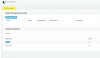
On my Linux install of 3CX, there is no Server-side tab and on the client-side, there were only two " outlook", and " DATEV.zip" only. See attached screenshots
 

Attachments

  • 2020-08-18_16-11-11.jpg
    2020-08-18_16-11-11.jpg
    53 KB · Views: 3
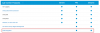
Maybe this 3CX server has a STD license key activated. As you can see here, the CRM integration feature is only available on PRO/ENT licenses:
1597845445938.png
 
  • Like
Reactions: Evolute IT
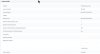
I purchase a Pro license and reenter the new key. Here is what the two screens displayed. One is under the Licensing area in settings. The other is on the dashboard
 

Attachments

  • 2020-08-18_16-11-35.jpg
    2020-08-18_16-11-35.jpg
    58.7 KB · Views: 5
  • 2020-08-18_16-14-15.jpg
    2020-08-18_16-14-15.jpg
    24.5 KB · Views: 5
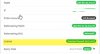
As you can see in the second screenshot, it says "Standard Annual". You need a PRO license.
 
As you can see in the second screenshot, it says "Standard Annual". You need a PRO license.
Go to Settings -> License and click "Refresh License Key Info". If it is a Pro, it should put it back.
 
For this issue please open a new thread in the General forum, or open a support ticket.

Also, please edit the previous post and remove the screenshot because the license key is visible...
 
  • Like
Reactions: Evolute IT
ok, open a thread in General Forum. Thank everyone for your help
 
Status
Not open for further replies.

Latest Posts

Forum statistics

Threads
111,862
Messages
589,443
Members
164,702
Latest member
iamatlas