3CX management page server error after windows 2012 update

Status
Not open for further replies.

abc2009

Customer
Joined
Feb 17, 2021
Messages
5
Reaction score
0
v15.5 running on Windows Server 2012

02/13/21 Windows Server 2012 updated.

Directly after update, the management console is slow to load, then states "Server Error" when logging in. used FQDM, local IP, 127.xxx. same result

Tried this directly on the local machine too, firewalls off
Restarted the services
Restarted Windows
Chrome or Firefox

all services are running except the management console. hit run in services, it runs and stops. that is normal i believe.

Otherwise, the phone service is working, all SIPS and extensions functional.
Updates it installed 02/13/21
1. Windows Malicious Software Removal Tool x64 - v5.86 (KB890830)

2. 2021-02 Security Monthly Quality Rollup for Windows Server 2012 R2 for x64-based Systems (KB4601384)

3. 2021-02 Security and Quality Rollup for .NET Framework 3.5, 4.5.2, 4.6, 4.6.1, 4.6.2, 4.7, 4.7.1, 4.7.2, 4.8 for Windows Server 2012 R2 for x64 (KB4603004)
 
Last edited:
This could be a number of things, so it will be rather hard to troubleshoot this on the forum, so right from the beginning I would suggest seeking help from a 3CX Partner.

Now a few things that come to mind that you could check are:
  • Check if there is some other application running on the same port (default HTTP/S ports are 5000/5001)
  • Disable Antivirus software
If none of this works, you should seriously consider upgrading to Windows 2016 or go with the 3CX ISO and makign the upgrade to V16.
 
Thanks. I did try disabling antivirus software at same time as firewall.

Nothing new was installed that would use 5000/5001. Nginx lagging the load page so bad loading does make you think another app running on same port.

How can I check if those ports are in use by another? I have not changed anything, just those windows udpates i listed. it was immediate.
 
Have you check the event logs to see why the management console service is not running - it needs to be running all the time

Have you rebooted the server ?
 
yes and yes

the windows server logs for services on the management console just say "service started" then "service stopped" in 2 entries a few seconds apart
 
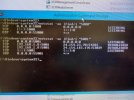
I checked the server ports. here is a picture. 24.154.183.176 is my IP address remotely using 3cx soft phone client. 24.154.23.70 is also another soft phone. both of those are fine.

listening seems normal.?

5000/5001 ports
 

Attachments

  • IMG_4302.jpg
    IMG_4302.jpg
    56.7 KB · Views: 5
Things I might try:
  • Simply reviewing the performance of that server (does it suddenly feel sluggish, what do task / resource manager say about what is going on with CPU / memory / disk / network / services)
  • Disabling the Windows firewall for a brief test period
  • A 3CX firewall test
  • An SFC consistency check
  • Making sure that no Windows driver updates snuck into those updates
  • Uninstalling the updates to see if things return to normal
I must admit, I don't think 3CX belongs on Windows... I mean, I know it works well enough but I struggle to think why you would choose anything but the Debian option. Given Server 2012 goes EOL in 2023, it's worth considering.
 
Things I might try:
  • Simply reviewing the performance of that server (does it suddenly feel sluggish, what do task / resource manager say about what is going on with CPU / memory / disk / network / services)
  • Disabling the Windows firewall for a brief test period
  • A 3CX firewall test
  • An SFC consistency check
  • Making sure that no Windows driver updates snuck into those updates
  • Uninstalling the updates to see if things return to normal
I must admit, I don't think 3CX belongs on Windows... I mean, I know it works well enough but I struggle to think why you would choose anything but the Debian option. Given Server 2012 goes EOL in 2023, it's worth considering.
Thanks.

this 2012 server had 2016 upgrade waiting. i have never used Debian
had tried turning off firewall.
the server is not sluggish elsewhere, resource manage as usual.
I looked at those updates, dont see a driver mentioned
I am on the server directly trying to run management console. cant imagine its blocked there by any firewall

will try SFC next.
then roll back those 2 updates and try.

if this works i will report back, perhaps a good thread.
 
Don't be scared of debian. If you install from the 3CX ISO you don't need to get your hands dirty at all. And the sheer speed and minimal effort involved in blowing away your install, starting again and restoring 3CX from backup is in a different world to Windows.

Throw in that there's no patching to do (3CX has you covered for this) and it requires considerably less resources to run.

This is coming from someone who used to be a Windows Server Admin and who knows little about linux.

The only reason (I can think of) to run on Windows is if you need other services on the same box. Even in these circumstances, I would be tempted to run 3CX Debian on a VM.

edit: I also see that you're a free user (so presumably fairly new to 3CX). Cloud pbx is another great way to go both for ease and value for money.
 
Status
Not open for further replies.