3cx Mikrotik configuration

Status
Not open for further replies.

Ravilla

Joined
Oct 4, 2017
Messages
66
Reaction score
1
Hi,

If you setup the Mikrotik from scratch the Firewall Filter Rules are set on default, so your router is protected well from invalid WAN access.
Only steps 1 and 2 you have to follow. Step 3 is only a check if the router is protected.

FWIW: I use the RB2011 and everything work well.
 
Hi Complex1

So if I am not sure if the router protect from defauyor not I can follow step 3?

My 3cx having problem and I don't know what is the issue yet. When checked the activity log it said ACK is not connected
 
Hi spring,

If you run the 3CX Firewall Checker, do all tests pass?

Please follow the URL and read the “Firewall” part of the manual.
You will see that step 3 and this part are almost the same.
https://wiki.mikrotik.com/wiki/Manual:Securing_Your_Router

For a good operation of the PBX, step 1 and 2 are more important than step 3.

Hope this will help.
 
I've always had good luck adding an outbound SNAT as well from the PBX IP to the WAN side Public IP... This of course only makes a difference if you have more than 1 static ip. however, many folks only have 1 static ip and sharing it amongst many services, more than just phone.
 
Static WAN IP ?... me and many of my customers use Dynamic WAN IP… because a) this is much, much, much cheaper than Static IP and b) the address never change… maybe once in 2, 3 or 4 years.
Let me say: I use now for more than 4 years the same Dynamic WAN IP.
Maybe in other countries the WAN IP address changes more frequent, but this I can’t tell.
 
Fiber connection came with 12 static IPs.
At one time I used more of them- but requiring VPN for some now and mail moved offsite. Still using a SNAT for my SMTP relay server... static for 3CX and VPN... and webapps.
 
Hi spring,

If you run the 3CX Firewall Checker, do all tests pass?

Please follow the URL and read the “Firewall” part of the manual.
You will see that step 3 and this part are almost the same.
https://wiki.mikrotik.com/wiki/Manual:Securing_Your_Router

For a good operation of the PBX, step 1 and 2 are more important than step 3.

Hope this will help.
Yes the firewall checker passed.
the problem is sometime when received a call there is no IVR playing and when the call send to queue we can't hear each other. if i restart the Mikrotik then the problem resolved.
i checked the activity logs in 3CX i saw it said ACK not responded from sip@xxxxx
 
i am using public static ip
 
the problem is sometime when received a call there is no IVR playing and when the call send to queue we can't hear each other. if i restart the Mikrotik then the problem resolved.
i checked the activity logs in 3CX i saw it said ACK not responded from sip@xxxxx

Please check in Mikrotik if the "Service Ports" sip 5060,5061 is disabled:
IP>Firewall>Service Ports
and in 3CX "Send Media to IP and port of REGISTER" is enabled.
Settings>Network>Firewall

BTW: The Mikrotik is running on firmware v6.40.8 [bugfix]
 
Please check in Mikrotik if the "Service Ports" sip 5060,5061 is disabled:
IP>Firewall>Service Ports
and in 3CX "Send Media to IP and port of REGISTER" is enabled.
Settings>Network>Firewall

BTW: The Mikrotik is running on firmware v6.40.8 [bugfix]
Hi complex1,
Yest sip alg was disable and the firewall passed without any error.
also Send Media to IP and port of register is enable by default.

Could you tell me do i need to followed step 3 in the guide? and does it will impact with another services or port forwarding in mikrotik?
there are another port forwarding in the mikortik too.
Please advise
 
The rules in step 3 are the so called “defconf” rules which are the default configuration rules provided by Mikrotik.

e.g. ";;; defconf: accept established,related connections" and ";;; defconf: drop everything from WAN"

You can check the rules with this command: ip firewall filter print

If you do not have them, then follow step 3 and add them.
 
Hi complex1,

one more could you tell me how to allow outbound connect on port 443 in mikrotik?
i want to get push notification on adroid.
 
Unless you added any rules on outbound stopping the traffic it should work as is.
 
The rules in step 3 are the so called “defconf” rules which are the default configuration rules provided by Mikrotik.

e.g. ";;; defconf: accept established,related connections" and ";;; defconf: drop everything from WAN"

You can check the rules with this command: ip firewall filter print

If you do not have them, then follow step 3 and add them.
Hi Complex1
Could you tell me this below command in-interface mean internet interface name?
ip firewall filter add chain=input action=drop in-interface=[Interface Name]

thanks
 
in-interface=[Interface Name] is the name of the internet connection.
Default is this "ether1"
 
in-interface=[Interface Name] is the name of the internet connection.
Default is this "ether1"
Hi Complex1,

thanks you for your reply and sorry because i am new with mikrotik.
so what is that command line mean?
 
Hi,

I was not clear enough, sorry, my mistake.
Please login to Mikrotik and click:
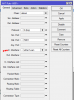
IP>Firewall>NAT and check if this rule (already) exist... else create one... using "+" (add) button.
Use screenshot as an example
upload_2018-6-14_9-11-15.png
 
  • Like
Reactions: Ravilla
Hi,

I was not clear enough, sorry, my mistake.
Please login to Mikrotik and click:
IP>Firewall>NAT and check if this rule (already) exist... else create one... using "+" (add) button.
Use screenshot as an example
View attachment 7915
Hi complex 1.

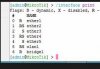
refer to this command
ip firewall filter add chain=input action=drop in-interface=[Interface Name]
please see my image.
i have internet line in to ether1 and share from ether2 to swich. in this case in-interface with command above should be ether1 or ether2?
kindly advise :-)
 

Attachments

  • Mikrotik Interface.JPG
    Mikrotik Interface.JPG
    17.8 KB · Views: 31
Hi,

I think this command will do the job:
ip firewall filter add chain=input action=drop in-interface=ether1
 
Status
Not open for further replies.

Forum statistics

Threads
112,349
Messages
592,026
Members
165,512
Latest member
gmacinit