- Joined
- Mar 26, 2019
- Messages
- 150
- Reaction score
- 20
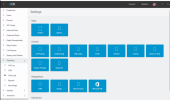
My 3CX has been loading like this for the last 3 months, anyone with any idea what could be the issue? I have tried reinstalling the PBX but still the issue persists:


Yes, I have even used a different computer, but still the issue is the same.Have you used your browser in incognito mode or used a different browser, to check if this is still the case?
No, but the PBX has been running on that machine since 2021Have you tried to re-install on a dedicated machine and check if you are still experience the same issue?
OS is up to date. It's running on Windows server 2019. No recent changes on the serverWe are not aware for any changes on the PBX server that can cause this issue. I would suggest first that your machine is up to date on all OS updates. Then try to re-install on a dedicated machine and check if the issue is still there.

With a quick look the icons look to be a font that is loading characters via CSS:My 3CX has been loading like this for the last 3 months, anyone with any idea what could be the issue? I have tried reinstalling the PBX but still the issue persists:

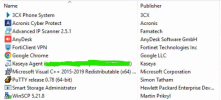
Bold move putting a VPN client on your 3CX server. If that's full tunnel, all it will take it a connect and you won't have a fun day.
I managed to resolve the issueBold move putting a VPN client on your 3CX server. If that's full tunnel, all it will take it a connect and you won't have a fun day.
Founded in 2005, when VoIP was an emerging technology, 3CX has gone on to establish itself as a global leader in business communications.