- Joined
- Apr 17, 2023
- Messages
- 2
- Reaction score
- 1
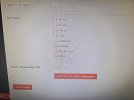
I have installed 3CX. I have gone through all the settings and configured it to my needs. However, 3CX is only appearing on my Homepage/Landing page. Even though on my wordpress plugin settings I do have "Enable in all pages" selected. Checking that box and saving the settings did not work. I unchecked the box and manually selected all the options under "Just these" and still it's only appearing on the homepage/landing page.
My website is still in the process of being designed, but if you need the URL it is: https://elementalsuds.com/
Thank you for your time,
Suds
My website is still in the process of being designed, but if you need the URL it is: https://elementalsuds.com/
Thank you for your time,
Suds