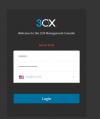
Hi, we have updated our 3CX PBX from V16 to V18 (via the Management GUI). After the update, the server does not permit login with a message "server error".
This PBX machine was deployed in Azure with the 3CX deployment wizard.
Did you happen to receive an email informing you of the failed update? No. I did not receive any email.
Have you tried rebooting the machine at all? Yes
When you say "3CX deployment Wizard" do you mean the wizard from within the 3CX Partner PortalYes, WIzard from the 3CX Partner Portal.
First, no, you will not lose your FQDN as that is linked with your License Key. The only way to 'lose' it is to release it from your Customer Portal, but don't do that for this.
Moving on, the most important questions: Do you have a backup of your 3CX? Preferably a fairly recent one.
If you do, simply delete your Azure instance, the follow the 3CX Azure Marketplace guide.
The reason I suggest this rather than doing it via the Customer Portal is because the marketplace way, the first thing the 3CX Configuration Wizard will ask you is wether you want to restore a backup.
Once you reach that point, load your backup and from there on it should be fairly straight forward!
How lucky I am! !!! I logged via SSH, ran those commands and the PBX started in V18 with the previous config !!!
All extensions are OK, admin user login is OK, the FQDN and license is OK!!!!!
apt update
apt upgrade
apt install 3cxpbx