3CX PBX goes crazy and takes the all upload bandwidth

Status
Not open for further replies.

bytesolutions

Bronze Partner
Advanced Certified
Joined
May 30, 2016
Messages
80
Reaction score
10
Good morning. For several weeks I have been problems with my internet connection , my internet provider has informed me that I am generating many gigabites every day even when I am not using the connection. After several tests and attempts I managed to understand the problem. During the day, my 3CX PBX goes crazy and occupies all the available upload bandwidth for no apparent reason (no call in progress). To stop it I have to restart it and it often stops for a few hours, but sometimes it continues. The PBX is 3CX v. 16.0.4.504 based on debian (installed several years ago) is connected to a Fritzbox 4020 and the door configuration is completely open (exposed host).
My colleague has the same PBX with my same version, based on debian and connected to a Mikrotik with only the necessary doors open nd he has the same problemsfor a few weeks. Both PBX have always worked for at least three years without any problems and nobody has put their hand in it. Could it be an incorrect update? What tests can I do?
I ask you for help.

Thanks
Simone
 
What do you mean by "it uses all the bandwidth without any calls active"?

Run a capture and look what type of packets are being sent but it's hard to saturate an ISP bandwidth with nothing...
 
Are you sure that you have no remote backups running? If it happens every day at the same time it'd be fairly easy to determine what is happening. Monitor the network. As Frederic Marcoux mentioned, run a capture but not for too long as it could generate a huge log if it's data going out.
 
  • Like
Reactions: Evolute IT
What do you mean by "it uses all the bandwidth without any calls active"?

Run a capture and look what type of packets are being sent but it's hard to saturate an ISP bandwidth with nothing...
Thank you so much for your answer.
I mean that from the graphs shown on Fritzbox the IP assigned to the PBX saturates all the upload band; but in those situations the PBX doing absolutely nothing, no incoming or outgoing calls or other actions known to me. I had thought a system to understand which IP these packets go. I have identified two software: "Network Traffic View" and "Smart Sniff". Could they can be fine for my use? Do you have a more suitable software to recommend?
Thank you
 
Are you sure that you have no remote backups running? If it happens every day at the same time it'd be fairly easy to determine what is happening. Monitor the network. As Frederic Marcoux mentioned, run a capture but not for too long as it could generate a huge log if it's data going out.
I have no remote backup running, and the problem does not reveal at the same time but in different hours during the day and during the night
 
Thank you so much for your answer.
I mean that from the graphs shown on Fritzbox the IP assigned to the PBX saturates all the upload band; but in those situations the PBX doing absolutely nothing, no incoming or outgoing calls or other actions known to me. I had thought a system to understand which IP these packets go. I have identified two software: "Network Traffic View" and "Smart Sniff". Could they can be fine for my use? Do you have a more suitable software to recommend?
Thank you
When you notice the issue, go to 3CX Console -> Activity Log and run a 1-2 minutes packet capture. This will give you more details than any apps. Then use Wireshark to analyze the traffic.
 
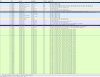
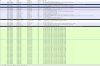
I run it only 50 seconds and it generated a 480Mb dump.pcap file. Absurd. I have attached four screenshots of the "highlights"
 

Attachments

  • Log 1.JPG
    Log 1.JPG
    264.4 KB · Views: 13
  • Log 2.JPG
    Log 2.JPG
    309.4 KB · Views: 13
  • Log 3.JPG
    Log 3.JPG
    285.8 KB · Views: 10
  • Log 4.JPG
    Log 4.JPG
    237 KB · Views: 10
Please attach the wireshark here (use GDrive or similar since it's a big file) and tell us what's the PBX IP. We will filter on it and see if we can find something.
 
Just passing by on a quiet Sunday afternoon in lockdown...

Your pcap contains DNS requests from your PBX IP to topbannersun.com & wowapplecar.com
A quick google of these would suggest Linux malware. You are right about this consuming your bandwidth, just 2 IP addresses registered in the Seychelles taking 99.9% of this capture, something around 80Mb/s of traffic!
 
  • Like
Reactions: Evolute IT
Just passing by on a quiet Sunday afternoon in lockdown...

Your pcap contains DNS requests from your PBX IP to topbannersun.com & wowapplecar.com
A quick google of these would suggest Linux malware. You are right about this consuming your bandwidth, just 2 IP addresses registered in the Seychelles taking 99.9% of this capture, something around 80Mb/s of traffic!
Thank you so much for your answer.
Other users have told me that the debian system has been infected. Yesterday I reset the PBX and reinstalled the latest version of 3CX, downloaded from the site and now everything seems ok. I can't explain how malware got into the debian system. the PBX is a machine without user and the once app runs is 3CX. How can he have been infected? At the time of the facts I didn't have the fritzbox as a router but a mikrotik with only the necessary ports open.
If I understand the vulnerability it entered, I can remedy it.
Thanks a lot to everyone
 
Status
Not open for further replies.

Forum statistics

Threads
111,940
Messages
589,850
Members
164,832
Latest member
Boblatino