3CX PhoneSystem 01 System Server Stops Running

Status
Not open for further replies.

Univ. of North Florida

Premier Customer
Basic Certified
Joined
Nov 6, 2020
Messages
38
Reaction score
7
After recently upgrading to V20. we have noticed that the memory usage for the service 3CX PhoneSystem 01 System Server climbs to multiple GIGs within a minute or so and then the service stops running. Just wondering if anyone else has experienced this or if anyone could offer some advice on how to prevent this service from stopping.
 
  • Like
Reactions: Charles_3CX
Hi,

We checked our systems requirements and we met the requirements for this test system since we only have seven users. We have 6 cpus and 8 GB of RAM for this Linux based server as well. We did have M365 integration set up, so I turned the integration off and rebooted the OS using the reboot command. The service continues to climb in RAM consumption until it crashes though.

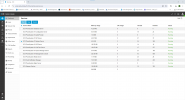
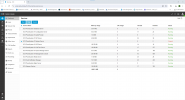
Any ideas on what to try next? For some extra information here is a screenshot of our services page before 3CX PhoneSystem 01 System Server crashes. Once it crashes it looks like the second picture.

Before crash and during RAM climb:
1722015842198.png

After crash:
1722015854850.png

Thank you,

Anthony Howell
 
Anything strange in the activity logs? Some repeating pattern?
 
Hi,

It looks like our RAM is getting back to normal levels over the past hour or two.

Just to reply to your last message though, I didn't notice any obvious patterns in the activity logs. The only things I saw were some CSTA messages and some Out of Dialog requests. I don't know what either of these things are but as I was refreshing the activity logs I saw them fairly often.

What I think fixed the issue was setting our Activity Logs' Logging Level to Low instead of Verbose. I don't know why it was set on verbose but maybe after we did the update it automatically made the change. The RAM usage decrease was not immediate either by the way. However, over the past hour or so it was slowly been going back down from around 9 Gigabytes of RAM for just the System Service back down to under a Gigabyte right now for the same service.

I just wanted to mention for anyone else searching for information on the V20 update that it does seem like it will set some settings differently automatically when you do the update. For example, our aforementioned Logging Level was set to Verbose instead of Low like normal and also our 3CX + M365 integration settings were set to automatically create new extensions based on AD members. We did not have it set like that before. Both are simple fixes and basically just require you to change them back to what you had them at before, but you will have to do that manually it seems and you aren't notified of the changes.

Regardless though, the issue seems to be fixed now. We will continue to monitor this issue and make sure it is fully resolved but for now our issue is fixed.

Thank y'all for all of your help!

Anthony Howell
 
I don't know why it was set on verbose but maybe after we did the update it automatically made the change.
It should not. Could you check the audit log, please? Not just days around update, but say whole year.
 
Hi,

I just checked using the filter to search by filter all of last year, by update, and by activity log section. The only change I found to logging levels was the one I made today.

To verify if these settings change automatically, I will screenshot our integration and logging level settings and then roll back the update to V18 and then update back to V20. I will then check if these changes were made automatically or not. I will keep you updated on if they are in fact automatic.

Thank you,

Anthony Howell
 
  • Like
Reactions: ivank
After doing some more investigation, it turns out that our settings weren't automatically changed during the update. Thank you for pointing that out, we had the logging set at verbose for a long time it seems and it hadn't caused any issues before. That’s why we hadn’t noticed. Our 365 integration settings were changed by us as well. This one was just a misunderstanding on our end too.


We ended up reverting back to V18 and then upgrading back to V20 to verify our solution of turning off logging. However, what we found was that logging being lowered to low doesn’t keep the RAM from spiking and crashing the system service. When we also froze the 3CX/365 Integration by unselecting the “Sync Microsoft 365 users” button, we saw that the RAM spike stopped happening. When we reactivated the integration, it then started spiking again. We believe that the integration is causing the RAM spike due to it parsing through our very large Active Directory.


We wanted to get some confirmation from 3CX that the processing of 365 data does in fact cause extra RAM consumption temporarily. Does this apply to the daily sync that happens as well or just for the first sync that happens? Is there a document that shows system hardware requirements for systems that are going to sync with AD’s of certain sizes?


Thank you!


Anthony Howell
 
  • Like
Reactions: jed and ivank
Thank you for your efforts, I will notify the devs about this problem.
 
Hi,

Just to clarify for our team, will you update us after you hear back from the devs on if there are hardware specs for systems based on the size of their Active Directories? Also do you know what time the system does its daily sync with AD? We'd like to know so that we can see if the RAM spikes to the same level.

Thank you,

Anthony Howell
 
Currently we all are very busy finishing SP3. When I have news I will post it here.

Regarding the sync job: it starts daily by default at 5:00.
 
Thanks for the update. Is that 5 AM EST?
 
UTC, most probably. I only had a quick glimpse at someone else's code...
 
All good, we'll check around that time. Thank you again!
 
  • Like
Reactions: ivank
It turns out the client for M365 provided by Microsoft it too greedy memory-wise, in SP3 we'll use our custom build of it which does not use in-memory caching.
 
I gotcha, that makes sense for what were seeing. Any idea when y'all anticipate releasing the SP3 Update?
 
I don't have such info but probably in late September- mid October (just my unofficial guess)
 
I see, we will keep an eye out for any updates on this RAM Spike. We appreciate y'all working on this issue!

Thank you,

Anthony Howell
 
Status
Not open for further replies.

Forum statistics

Threads
111,953
Messages
589,909
Members
164,845
Latest member
tdzski5