• We do not provide troubleshooting help for unsupported phones. Please try with a supported phone.
  • V20 Update 10 Alpha 2 Learn more

3CX port configuration

Status
Not open for further replies.

Simpson Novela

Free User
Basic Certified
Joined
Jun 8, 2022
Messages
5
Reaction score
0
Good afternoon.
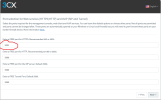
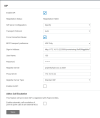
I would like to know if I need to reinstall and configure the 3CX to be able to change the communication port from 5001 to 5060, in the field indicated in the image below.

Screenshot (698).png
 
Reinstall, yes, but you can take a backup and restore it while changing the ports.

-Take full backup
-Reinstall
-Restore
-Change Port Number

Whole process takes 15 minutes
 
Do not change the port to 5060, this is used by sip traffic

why do you want to change the https port number ?, As I can see it does not give you any benefits
 
Last edited:
Do not change the port to 5060, this is used by sip traffic

why do you want to change the https port number ?, As I can see it does not give you any benefits
Hi.

I wanted to put an extension on the Poly G7500 and in the settings field there were many options and I didn't know how to fill them in, so I asked for the poly support and they told me that.

Attached is the photo of the fields I was referring to.
1658999552427-png.31256
 

Attachments

  • 1658999552427.png
    1658999552427.png
    63.1 KB · Views: 71
hopefully you are try to setup the device on the same network as the 3cx server.
- The device is in the same network.

Probably do not need sign-in address, proxy server
-Normally we use this link that I put in the sign-in address to connect the extension to the IP Phones.

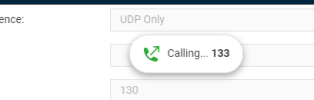
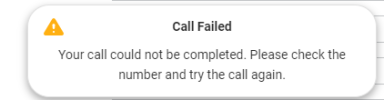
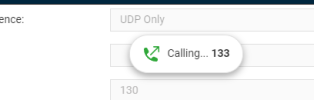
Making the changes that you sad the calls don't work too.

1659002137626.png
1659002156975.png
 

Attachments

  • 1659002132534.png
    1659002132534.png
    6.9 KB · Views: 0
As it is not a supported device, it is going to be trial and error to see what works.
 
Status
Not open for further replies.

Forum statistics

Threads
112,147
Messages
590,961
Members
165,167
Latest member
Finatra.us