3CX Recording Drops After 1 Second for One User — RTCP No Valid Report Error

tech_hocl

Premier Customer
Joined
Dec 3, 2021
Messages
25
Reaction score
1
Hello,


I’m encountering an issue where call recordings for one specific user drop after only 1 second. The problem only affects this user; others on the same system record calls without issues.


Symptoms:​


  • Recording stops after about 1 second.
  • The audio is missing or cuts out very quickly.
  • 3CX logs show the message:


Environment:​


  • 3CX Version: v20 U6
  • User client: 3CX Windows App
  • Firewall: FortiGate
  • NAT: Behind NAT, external IP and local networks configured on PBX
  • Network: User is remote and connected via standard ISP (no VPN)
  • RTP ports UDP 9000–10999 are forwarded/open on firewall
  • SIP ALG is disabled on FortiGate


Troubleshooting done so far:​


  • Verified RTP/RTCP UDP ports are open and forwarded correctly.
  • Disabled SIP ALG on FortiGate.
  • Confirmed PBX external IP and local network subnets are properly configured.
  • Tested with other users on same network: no issues.
  • Reinstalled 3CX Windows client for the user.
  • Checked client firewall and antivirus settings.
  • Asked user to test on a different network (mobile hotspot), issue persists.
  • Verified 3CX logs for RTP/RTCP errors.


Request for help:​


  • Has anyone experienced similar "No valid RTCP report" errors causing recording to drop after 1 second?
  • Are there additional troubleshooting steps or logs I can gather to isolate the problem?
  • Any known FortiGate or 3CX-specific configuration tweaks to resolve RTP/RTCP delivery issues?
  • Suggestions for network capture or diagnostic tools to better understand the RTP/RTCP flow?

Thank you in advance for your help!
 

Attachments

  • 1753423236909.png
    1753423236909.png
    50.3 KB · Views: 25
Hi,

A soft step first, have them use mobile app, or provision their windows app on another PC. To see if it's device or extension that's causing it.

If it's an extension issue, can you just delete and recreate it?

Best,
KS.
 
Hi KS,


Thanks again for your suggestions.

Here’s what I’ve tried so far:
  • Tried the mobile app → Same result, recording stops after 1 second.
  • Tried the Windows app on another PC → Issue persists.
  • Deleted and recreated the extension → No improvement.
  • Created a completely new extension for the user → Problem still persists.
  • Tested from home and office networks → Same behavior.
  • Other users on same network and apps work fine.
At this point, it seems isolated to that specific user’s environment or 3CX's handling of their RTP stream, but I can’t pinpoint what’s wrong. RTP ports (UDP 9000–10999) are open, SIP ALG is disabled, and everything else seems in order.


Would really appreciate deeper insights or advanced debug steps I can try.


Thanks in advance for your continued help!


Thanks again,
 
Does this extension have any setting different from all the others? Trying to see where we can focus.
 
Hi,

I’ve double-checked, and the extension settings are exactly the same as for other users who have no issues.
 
I packet capture might shed some light, but creating a new connection and using different equipment still getting the issue seems strange. Any external integrations that might be jumping in the middle of this?
 
Hi,

No external integrations are in place — nothing like SBCs, custom CRM plugins, session border controllers, or recording servers that could be interfering. It's a standard 3CX setup.


I agree, it's quite strange — especially since:

  • A completely new extension (with default settings) has the same issue
  • Issue persists across:
    • Multiple devices (Windows app, mobile app)
    • Multiple networks (home, office)
    • Multiple client PCs
  • Other users using the same apps/networks have no problem
  • The 3CX logs still consistently show:
I’ll proceed with a packet capture (PCAP) on the PBX during a test call from the affected user, and will share any relevant findings here.


If you have any suggestions on specific filters or what to look out for in the capture (missing RTP stream? asymmetric traffic?), I’m happy to follow that.


Thanks again for sticking with me on this — really appreciate the help!
 
  • Like
Reactions: KyriacosS_3CX
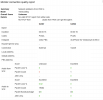
The first screenshot says there's no audio coming from the user's phone to the PBX.
Filter wireshark by:
udp.dstport==5090 && ip.addr == <your user's global ip>
 
Last edited:
Also, the first test I would do is calling echo (*777) and see if the user hears himself.
 

Latest Posts

Forum statistics

Threads
111,961
Messages
589,954
Members
164,862
Latest member
ARTipsadmin