Dear all,
I have set local NTP server in /etc/ntpsec/ntp.conf but it seems that time is not sychronized.
I need help. According below output NTP server
ntp.kc-bl.local is candidate (marked with + not with *) but not actual one.
root@UKC-3CX-KC:/var/lib/ntpsec# ntpq -p
remote refid st t when poll reach delay offset jitter
=======================================================================================================
+ntp.kc-bl.local 195.186.4.101 3 u 19 64 377 0.5506 -28017.7 0.5043
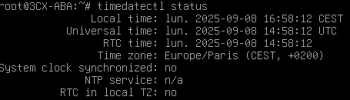
root@UKC-3CX-KC:/var/lib/ntpsec# timedatectl status
Local time: Wed 2025-11-26 10:26:34 CET
Universal time: Wed 2025-11-26 09:26:34 UTC
RTC time: Wed 2025-11-26 09:26:34
Time zone: Europe/Belgrade (CET, +0100)
System clock synchronized: yes
NTP service: n/a
RTC in local TZ: no
root@UKC-3CX-KC:/var/lib/ntpsec# more /etc/ntpsec/ntp.conf
# /etc/ntpsec/ntp.conf, configuration for ntpd; see ntp.conf(5) for help
driftfile /var/lib/ntpsec/ntp.drift
leapfile /usr/share/zoneinfo/leap-seconds.list
# To enable Network Time Security support as a server, obtain a certificate
# (e.g. with Let's Encrypt), configure the paths below, and uncomment:
# nts cert CERT_FILE
# nts key KEY_FILE
# nts enable
# You must create /var/log/ntpsec (owned by ntpsec:ntpsec) to enable logging.
#statsdir /var/log/ntpsec/
#statistics loopstats peerstats clockstats
#filegen loopstats file loopstats type day enable
#filegen peerstats file peerstats type day enable
#filegen clockstats file clockstats type day enable
# This should be maxclock 7, but the pool entries count towards maxclock.
tos maxclock 11
# Comment this out if you have a refclock and want it to be able to discipline
# the clock by itself (e.g. if the system is not connected to the network).
tos minclock 4 minsane 3
# Specify one or more NTP servers.
# Public NTP servers supporting Network Time Security:
# server time.cloudflare.com nts
# pool.ntp.org maps to about 1000 low-stratum NTP servers. Your server will
# pick a different set every time it starts up. Please consider joining the
# pool: <
https://www.pool.ntp.org/join.html>
#pool 0.debian.pool.ntp.org iburst
#pool 1.debian.pool.ntp.org iburst
#pool 2.debian.pool.ntp.org iburst
#pool 3.debian.pool.ntp.org iburst
server ntp.kc-bl.local iburst prefer
# Access control configuration; see /usr/share/doc/ntpsec-doc/html/accopt.html
# for details.
#
# Note that "restrict" applies to both servers and clients, so a configuration
# that might be intended to block requests from certain clients could also end
# up blocking replies from your own upstream servers.
# By default, exchange time with everybody, but don't allow configuration.
restrict default kod nomodify nopeer noquery limited
# Local users may interrogate the ntp server more closely.
restrict 127.0.0.1
restrict ::1
root@UKC-3CX-KC:/var/lib/ntpsec# journalctl -u ntpsec.service -n 50 --no-pager
Nov 26 09:46:32 UKC-3CX-KC ntpd[750066]: IO: Listen normally on 2 lo 127.0.0.1:123
Nov 26 09:46:32 UKC-3CX-KC ntpd[750066]: IO: Listen normally on 3 ens18 192.168.215.60:123
Nov 26 09:46:32 UKC-3CX-KC ntpd[750066]: IO: Listen normally on 4 ens19 10.130.246.203:123
Nov 26 09:46:32 UKC-3CX-KC ntpd[750066]: IO: Listen normally on 5 lo [::1]:123
Nov 26 09:46:32 UKC-3CX-KC ntpd[750066]: IO: Listen normally on 6 ens18 [fe80::10eb:89ff:fea8:89b8%2]:123
Nov 26 09:46:32 UKC-3CX-KC ntpd[750066]: IO: Listen normally on 7 ens19 [fe80::64a1:bff:fe0d:db9f%3]:123
Nov 26 09:46:32 UKC-3CX-KC ntpd[750066]: IO: Listening on routing socket on fd #24 for interface updates
Nov 26 09:46:32 UKC-3CX-KC ntpd[750066]: INIT: MRU 10922 entries, 13 hash bits, 65536 bytes
Nov 26 09:46:32 UKC-3CX-KC ntpd[750066]: INIT: Built with OpenSSL 3.0.9 30 May 2023, 30000090
Nov 26 09:46:32 UKC-3CX-KC ntpd[750066]: INIT: Running with OpenSSL 3.0.17 1 Jul 2025, 30000110
Nov 26 09:46:32 UKC-3CX-KC ntpd[750066]: NTSc: Using system default root certificates.
Nov 26 09:46:33 UKC-3CX-KC ntpd[750066]: DNS: dns_probe: ntp.kc-bl.local, cast_flags:1, flags:20921
Nov 26 09:46:33 UKC-3CX-KC ntpd[750066]: DNS: dns_check: processing ntp.kc-bl.local, 1, 20921
Nov 26 09:46:33 UKC-3CX-KC ntpd[750066]: DNS: Server taking: 192.168.215.114
Nov 26 09:46:33 UKC-3CX-KC ntpd[750066]: DNS: dns_take_status: ntp.kc-bl.local=>good, 0
Nov 26 10:02:14 UKC-3CX-KC ntpd[750066]: ERR: ntpd exiting on signal 15 (Terminated)
Nov 26 10:02:14 UKC-3CX-KC ntpd[750066]: PROTO: 192.168.215.114 unlink local addr 192.168.215.60 -> <null>
Nov 26 10:02:14 UKC-3CX-KC systemd[1]: Stopping ntpsec.service - Network Time Service...
Nov 26 10:02:14 UKC-3CX-KC systemd[1]: ntpsec.service: Deactivated successfully.
Nov 26 10:02:14 UKC-3CX-KC systemd[1]: Stopped ntpsec.service - Network Time Service.
Nov 26 10:02:14 UKC-3CX-KC systemd[1]: Starting ntpsec.service - Network Time Service...
Nov 26 10:02:14 UKC-3CX-KC ntpd[750415]: INIT: ntpd ntpsec-1.2.2: Starting
Nov 26 10:02:14 UKC-3CX-KC ntp-systemd-wrapper[750415]: 2025-11-26T10:02:14 ntpd[750415]: INIT: ntpd ntpsec-1.2.2: Starting
Nov 26 10:02:14 UKC-3CX-KC ntp-systemd-wrapper[750415]: 2025-11-26T10:02:14 ntpd[750415]: INIT: Command line: /usr/sbin/ntpd -p /run/ntpd.pid -c /etc/ntpsec/ntp.conf -g -N -u ntpsec:ntpsec
Nov 26 10:02:14 UKC-3CX-KC ntpd[750415]: INIT: Command line: /usr/sbin/ntpd -p /run/ntpd.pid -c /etc/ntpsec/ntp.conf -g -N -u ntpsec:ntpsec
Nov 26 10:02:14 UKC-3CX-KC systemd[1]: Started ntpsec.service - Network Time Service.
Nov 26 10:02:14 UKC-3CX-KC ntpd[750417]: INIT: precision = 0.068 usec (-24)
Nov 26 10:02:14 UKC-3CX-KC ntpd[750417]: INIT: successfully locked into RAM
Nov 26 10:02:14 UKC-3CX-KC ntpd[750417]: CONFIG: readconfig: parsing file: /etc/ntpsec/ntp.conf
Nov 26 10:02:14 UKC-3CX-KC ntpd[750417]: CONFIG: restrict nopeer ignored
Nov 26 10:02:14 UKC-3CX-KC ntpd[750417]: CLOCK: leapsecond file ('/usr/share/zoneinfo/leap-seconds.list'): good hash signature
Nov 26 10:02:14 UKC-3CX-KC ntpd[750417]: CLOCK: leapsecond file ('/usr/share/zoneinfo/leap-seconds.list'): loaded, expire=2026-06-28T00:00Z last=2017-01-01T00:00Z ofs=37
Nov 26 10:02:14 UKC-3CX-KC ntpd[750417]: INIT: Using SO_TIMESTAMPNS(ns)
Nov 26 10:02:14 UKC-3CX-KC ntpd[750417]: IO: Listen and drop on 0 v6wildcard [::]:123
Nov 26 10:02:14 UKC-3CX-KC ntpd[750417]: IO: Listen and drop on 1 v4wildcard 0.0.0.0:123
Nov 26 10:02:14 UKC-3CX-KC ntpd[750417]: IO: Listen normally on 2 lo 127.0.0.1:123
Nov 26 10:02:14 UKC-3CX-KC ntpd[750417]: IO: Listen normally on 3 ens18 192.168.215.60:123
Nov 26 10:02:14 UKC-3CX-KC ntpd[750417]: IO: Listen normally on 4 ens19 10.130.246.203:123
Nov 26 10:02:14 UKC-3CX-KC ntpd[750417]: IO: Listen normally on 5 lo [::1]:123
Nov 26 10:02:14 UKC-3CX-KC ntpd[750417]: IO: Listen normally on 6 ens18 [fe80::10eb:89ff:fea8:89b8%2]:123
Nov 26 10:02:14 UKC-3CX-KC ntpd[750417]: IO: Listen normally on 7 ens19 [fe80::64a1:bff:fe0d:db9f%3]:123
Nov 26 10:02:14 UKC-3CX-KC ntpd[750417]: IO: Listening on routing socket on fd #24 for interface updates
Nov 26 10:02:14 UKC-3CX-KC ntpd[750417]: INIT: MRU 10922 entries, 13 hash bits, 65536 bytes
Nov 26 10:02:14 UKC-3CX-KC ntpd[750417]: INIT: Built with OpenSSL 3.0.9 30 May 2023, 30000090
Nov 26 10:02:14 UKC-3CX-KC ntpd[750417]: INIT: Running with OpenSSL 3.0.17 1 Jul 2025, 30000110
Nov 26 10:02:14 UKC-3CX-KC ntpd[750417]: NTSc: Using system default root certificates.
Nov 26 10:02:15 UKC-3CX-KC ntpd[750417]: DNS: dns_probe: ntp.kc-bl.local, cast_flags:1, flags:20921
Nov 26 10:02:15 UKC-3CX-KC ntpd[750417]: DNS: dns_check: processing ntp.kc-bl.local, 1, 20921
Nov 26 10:02:15 UKC-3CX-KC ntpd[750417]: DNS: Server taking: 192.168.215.114
Nov 26 10:02:15 UKC-3CX-KC ntpd[750417]: DNS: dns_take_status: ntp.kc-bl.local=>good, 0




 ("ntpd",pid=750417,fd=20))


