- Joined
- Oct 5, 2016
- Messages
- 9
- Reaction score
- 6
Hello,
On an customer installation on premise that has been update to version 18 at beginning of this year,
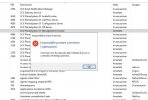
since 2 weeks we are facing a problem on nightly system restart where 2 services are not starting.
We get a warning by email:
The following service(s) were interrupted:
3CXGatewayService
3CXPhoneSystemMC01
This is a Windows Server 2019 machine on the cloud.
Now exacty the same problem has started since yesterday on another customer server where we have a nightly reboot !!
This one is a fisical machine with 16GB ram, Windows Server 2016, also with 3CX version 18.
This was running for months with no problem.
So the suspect is that a windows updated could have create vthis issue.
Has anybody having the same problem ??
Thanks
Enrico
On an customer installation on premise that has been update to version 18 at beginning of this year,
since 2 weeks we are facing a problem on nightly system restart where 2 services are not starting.
We get a warning by email:
The following service(s) were interrupted:
3CXGatewayService
3CXPhoneSystemMC01
This is a Windows Server 2019 machine on the cloud.
Now exacty the same problem has started since yesterday on another customer server where we have a nightly reboot !!
This one is a fisical machine with 16GB ram, Windows Server 2016, also with 3CX version 18.
This was running for months with no problem.
So the suspect is that a windows updated could have create vthis issue.
Has anybody having the same problem ??
Thanks
Enrico