Cyberoam firewall 50ing
i have the same model in my head office, 3CX working with Cyberoam here without any mistakes. i tried to do the same steps that applied here to other branch but i got this message.
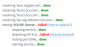
today i ran firewall checker and i got this message:
Start test, v.1.0.4
Extension 222 is registered
REQ_MAKE_CALL has failed with code 603: Caller is forbidden
ERROR: Echo test failed
Possible causes:
1. SIP ALG or a SIP Proxy has been detected between this computer/network and the target 3CX PhoneSystem. This will cause problems.
SIP ALG needs to be disabled or the Proxy needs to be removed/fixed.
Check the firewall's user manual on how to disable any running SIP ALG functionality or contact the firewall's support department.
2. 3CX Phone System might have an incorrect configuration.
Confirm that 3CX Phone System has a public Static IP Address - does not change and Not dynamic - changes.
Confirm that the network interface is correctly configured by accessing the 3CX Management Console > Settings > Network Settings> Stun Server and that the public ip address is correctly entered.
Disable Stun in this case and run the test again.
3. Confirm that you have performed the 3CX Phone System Firewall checker and that the test passes completely.
To do this access the 3CX Management Console and go to General Settings > Firewall Checker > Run Firewall Checker.
4. The firewall of this network from where the 3CX firewall Checker is running is very unreliable and unable to remember port mappings and keep them open.
At this stage it would be best to use 3CX Tunnel, 3CX Session Border Controller or try and switch to TCP Traffic instead of UDP as this will help keep the port mappings open.