- Joined
- Sep 8, 2020
- Messages
- 11
- Reaction score
- 4
Hello Everyone,
I have a 3cx On Prem ver: 16.0.1078 all is up to date -> everything is OK on this side
And of course I have 4 Snom M700 with 28 Dect M65 with the last version 520. B1
my problem is: the"Central Directory" on the M65 only displays the internal contact and not all the contacts.
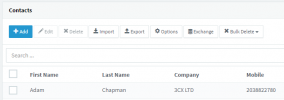
When I check the contact on 3cx windows Application there is no problem or on my Yealink everything is correct. But not on my Dect M65.
If I test the link with the xml file on the web browser it's correct I see all contact...
Anyone have an Idea ?
-> Reset from 1 phone = NOK
-> all reboot = NOK
-> push an other XML and re-push the original one = NOK
-> push an empty XML -> re-push the Original = NOK
Thank you for your help and have a nice day !
I have a 3cx On Prem ver: 16.0.1078 all is up to date -> everything is OK on this side
And of course I have 4 Snom M700 with 28 Dect M65 with the last version 520. B1
my problem is: the"Central Directory" on the M65 only displays the internal contact and not all the contacts.
When I check the contact on 3cx windows Application there is no problem or on my Yealink everything is correct. But not on my Dect M65.
If I test the link with the xml file on the web browser it's correct I see all contact...
Anyone have an Idea ?
-> Reset from 1 phone = NOK
-> all reboot = NOK
-> push an other XML and re-push the original one = NOK
-> push an empty XML -> re-push the Original = NOK
Thank you for your help and have a nice day !