3cx ssl renewal

Status
Not open for further replies.

NewBie Ryan

Customer
Joined
Nov 14, 2019
Messages
22
Reaction score
1
Hi,

we are using 3cx v 15.5 SP6 on Windows 10.

I'm trying to renew the SSL certificate with the help of the document (3cx.com/docs/renewing-ssl-certificate/)
In the document it shows the certificate name as pbx.mybusiness.com-crt.pem and key name as pbx.mybusiness.com-key.pem

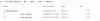
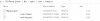
Now when I go to program files/Bin/nginx/conf/instance1
I can see 3 files as it should and the names of certificate file is as it should be, pbx.mybusiness.com-crt.pem and for key file, pbx.mybusiness.com-key.pem

We are using a wildcard certificate and when I check the new certificate that has to be placed in 3cx,

certificate name is star_mybusiness.com and key certificate is star_mybusiness.com.key

When I check both files, it shows the file type as "security certificate" and "key file" instead of pem files.

What should I do?


Thank you.
 
You should use a 3CX provided FQDN so you don't have to answer these questions :) I still don't understand why people go through this trouble. I had one customer who used their own FQDN and I finally convinced them to switch to a 3CX FQDN once they hired a new IT guy who had his head screwed on straight.
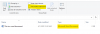
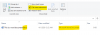
But presumably you are talking about this:


1585727797923.png
1585727957114.png

Maybe try turning on 'File name extensions'
 
You should use a 3CX provided FQDN so you don't have to answer these questions :) I still don't understand why people go through this trouble. I had one customer who used their own FQDN and I finally convinced them to switch to a 3CX FQDN once they hired a new IT guy who had his head screwed on straight.

But presumably you are talking about this:


View attachment 15249
View attachment 15250

Maybe try turning on 'File name extensions'

No thanks, we are happy with our own custom FQDN. We wouldn't go through all this trouble if it isnt absolutely necessary.

Regarding the file extensions, no that isn't what im talking about.
This is what it looks when I check the current certificate in the server,

test.jpg

but the new certificate looks like this,
test1.jpg

As you can see, in the server it shows both as "PEM file" whereas in the new certificates it shows "crt and key file"

All I want to know is, whether it is okay to rename the new certificate along with the PEM extension.
i.e is it okay if i rename the "pbx.mybusiness.co_uk.crt" as "pbx.mybusiness.co.uk-crt.pem"?

Thank you
 

Attachments

  • test.jpg
    test.jpg
    20.2 KB · Views: 6
No, it has to be the same as it was originally for it to work.
 
Sorry, I read your post wrong, Yes, rename the file to make it match what the file names were named originally.
 
Sorry, I read your post wrong, Yes, rename the file to make it match what the file names were named originally.

So I can even change the .crt and .key to .pem, right?
Because that's the extension of the file in the server.
 
I think that may be a different question then what you asked at the end of your thread. You can not change the extension name unless its configured properly. If your old/original pem files were named 123.pem and 456.pem then your renewed/new certificate files need to also be 123.pem and 456.pem

Follow these instructions to install the certificates:

https://www.3cx.com/docs/self-hosted-instances-ssh/

You will need to download OpenSSL program to take your certificate and break into separate files with PEM extensions
https://www.openssl.org/

Helper links
https://wiki.cac.washington.edu/dis...ficate+and+Private+Key+Files+from+a+.pfx+File

https://docs.vmware.com/en/vRealize...UID-1203BA5A-3E23-463A-8297-BCD3A9D380E1.html
 
I think that may be a different question then what you asked at the end of your thread. You can not change the extension name unless its configured properly. If your old/original pem files were named 123.pem and 456.pem then your renewed/new certificate files need to also be 123.pem and 456.pem

Follow these instructions to install the certificates:

https://www.3cx.com/docs/self-hosted-instances-ssh/

You will need to download OpenSSL program to take your certificate and break into separate files with PEM extensions
https://www.openssl.org/

Helper links
https://wiki.cac.washington.edu/dis...ficate+and+Private+Key+Files+from+a+.pfx+File

https://docs.vmware.com/en/vRealize...UID-1203BA5A-3E23-463A-8297-BCD3A9D380E1.html
I don't think you understood the question in the first place. Thanks for trying to help anyway.
 
Status
Not open for further replies.

Forum statistics

Threads
111,941
Messages
589,854
Members
164,832
Latest member
Boblatino