3CX Unknown Error 0x80005000

Status
Not open for further replies.

markslowe

Free User
Joined
Jan 4, 2013
Messages
5
Reaction score
0
When I login to the 3CX Management console I get an exception error occurred Error: Unknown error (0x80005000) on the 3CX Interface.

This repeats when trying to send the welcome message or change the Extension screen.

WIndows 2012
IIS
3CX v12 SP3 (we upgraded from V11 SP4)

Any help would be appreciated.

Thanks
 
Just to add: I uninstall 3CX, reboot and installed fresh again and restore from a backup.

In the Server Activity Log the follow appears twice:
01-Dec-2013 22:40:07.752 Exception: ParseException ParseBuffer.cxx:102, Parse failed Expected "
" in context: Contents
Messages-Waiting: no
Message-Account: sip:[email protected]
Voice-Message: 0/0 (0/0)
Fax-Message: 0/0 (0/0)
None: 0/0 (0/0)
^
@ ParseBuffer.cxx:102

Also in the Server Event Log the following appears twice:
Error 8192 3CXPhoneSystem Failed to start service: The service process could not connect to the service controller.

The Services Status shows all services running EXCEPT IIS - Internet Information Services Web Server I checked the services in windows service manager and in IIS Manager and everything is running.

Just keep in mind the phone system does work; we are able to make and receive calls but we cannot configure the system.

Looking forward to an answer.
 
A few things.

You did not mention which Server 2012 version.
The error is a Microsoft error code and more info my be available in the Server 2012 event viewer to help pinpoint where the issue lies.

You might want to review the upgrade process you underwent from v11 to where you are now. Take a look at the release notes as there may have been a specific upgrade path that should have been taken. This is not to say that you should not be able to go from V11 sp4 directly to V12 sp3, if you did a full download of V12 sp3.

Presumably the backup, had been reported as successful and/or passed.
 
Windows 2012 Standard - Updated

Release notes? No mention of anything.

I backup V11, uninstalled V11, rebooted, Installed V12 and restored the backup - no errors during this process.

Backup did report as successful.

Windows event logs does not show anything regarding 3CX or the error message 3CX generated. Application or System logs.

3CX Server Event and Activity logs nothing in regards to the error.

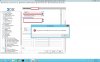
But I'm still getting the 3CX error when saving changes or sending a welcome message. 0x80005000 - enclosed attached screenshot of error.
 

Attachments

  • 3CX Error 2013-12-11_094458.jpg
    3CX Error 2013-12-11_094458.jpg
    161.1 KB · Views: 643
Status
Not open for further replies.

Members Online Now

Forum statistics

Threads
111,835
Messages
589,289
Members
164,666
Latest member
infinititravels