- Joined
- May 22, 2017
- Messages
- 36
- Reaction score
- 14
Hello,
I have a new 3CX v16 Pro installation going live next week. It's been on test whilst being set up - it ran the automatic updater to install the latest hotfix a few days back with some negative results.
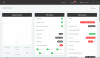
The result now is the system doesn't work at all - it seems the at the very least, the 3CX networking stack is broken. Please see the attached screenshots:
-IP Address mismatch
-Activation failed, although refreshing licence info is successful
I receive "Could not load file or assembly 'GenericUtilsNet, Version=16.0.5.622, Culture=neutral, PublicKeyToken=null'. The located assembly's manifest definition does not match the assembly reference. (0x80131040)" when I click on the automatic backup option.
I've got a good backup so it's no bother to reinstall but given this happened as the result of an update, wanted to highlight it just in case it's a known issue with an easy resolution, or perhaps a larger problem?
Nothing has changed from a Windows / hardware POV.
Environment is:
Windows 10 Pro
3CX 16.0.619
3CX Pro 8 SC Annual
License status: Activated
Thoughts appreciated?
Kind regards,
Jamie
I have a new 3CX v16 Pro installation going live next week. It's been on test whilst being set up - it ran the automatic updater to install the latest hotfix a few days back with some negative results.
The result now is the system doesn't work at all - it seems the at the very least, the 3CX networking stack is broken. Please see the attached screenshots:
-IP Address mismatch
-Activation failed, although refreshing licence info is successful
I receive "Could not load file or assembly 'GenericUtilsNet, Version=16.0.5.622, Culture=neutral, PublicKeyToken=null'. The located assembly's manifest definition does not match the assembly reference. (0x80131040)" when I click on the automatic backup option.
I've got a good backup so it's no bother to reinstall but given this happened as the result of an update, wanted to highlight it just in case it's a known issue with an easy resolution, or perhaps a larger problem?
Nothing has changed from a Windows / hardware POV.
Environment is:
Windows 10 Pro
3CX 16.0.619
3CX Pro 8 SC Annual
License status: Activated
Thoughts appreciated?
Kind regards,
Jamie