3CX v20 Cloud & Twilio E.164 Formatting - No Outbound Calls

Eastcott

SMB User
Joined
Mar 27, 2026
Messages
1
Reaction score
0
Issue:
  • Outbound calls from 3CX v20 Cloud to Twilio are failing with error 32101: The called number is not correctly formatted.
  • Twilio requires all called numbers to be in E.164 format (e.g., +13052225000).
  • Even when dialing with the + and configuring outbound rules to prepend +, Twilio receives the number without the plus sign (e.g.,13052225000).
Troubleshooting Steps Taken:
  • Outbound rules have been set to prepend + and country code.
  • Attempted dialing with explicit E.164 format from endpoints.
  • Verified all available number formatting options in the 3CX v20 Cloud interface.
  • Confirmed that the “Outbound Parameters” tab and SIP header manipulation are not available in 3CX v20 Cloud.
Findings:
  • 3CX v20 Cloud does not expose SIP header or outbound parameter controls to end users.
  • Number formatting is handled internally by 3CX, and the platform appears to strip or ignore the + before sending to Twilio.
  • There is no way for the user to force E.164 formatting with a plus sign from the current web interface.
Next Steps Requested:
  • Need 3CX support to advise on how to ensure outbound numbers are sent to Twilio in E.164 format (with the +).
  • If this is a platform limitation to allow E.164 formatting for SIP trunks?
 
Did you ever receive assistance with this question? I am having the same issue presently.
 
One question, which Twilio template are you using? There are two available templates: Twilio (Auto-setup) and Twilio.

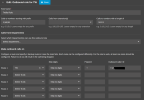
For some reason, only the Twilio template works for me. I didn’t make any modifications, and it works correctly. For example:
1788206862341.png
 
I currently have it on Twilio Auto. When I had it on Twilio, SMS/MMS didn't connect. Is that your only rule? The instructions left me with the impression I needed a rule for each potential number of entered or call destination. Do I just need one? And do I need to do anything with the E.164 screen? There seems to be a lot of opportunity for configuration conflict in this process, especially on hosted implementations.
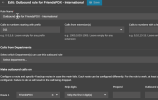
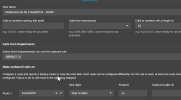
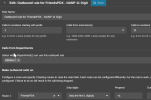
1788213031505.png1788212959559.png1788212997111.png
 
@mattwarner

I only have one rule configured, and it works correctly. If I need to call a new country, I simply add its country code under “Calls to numbers starting with prefix” and enable that country in Twilio, including both low-risk and high-risk numbers.

There is no need to create a separate rule for each country unless you want to use a different Outbound Caller ID for each one.

Please configure the rules as I have done and test again. If you encounter an error, check the call report in the Twilio console (call report) for more details.
 

Latest Posts

Forum statistics

Threads
111,982
Messages
590,120
Members
164,909
Latest member
Jacob.Ive