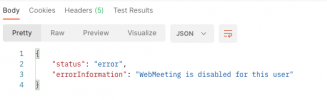
Solved 3CX WebMeeting API - "WebMeeting is disabled for this user"

Status
Not open for further replies.

Kris G.

Silver Partner
Basic Certified
Joined
Jul 26, 2019
Messages
32
Reaction score
8
I have been testing the web meeting API with a 3CX instance running version 18.0.237 and am running into issues on a single instance:
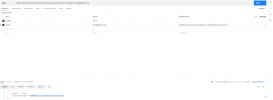
Screen Shot 2021-10-27 at 4.42.34 PM.png

If I try on another instance it works perfectly fine - exactly as expected; however, on this one in particular it does not. I have confirmed the Click2Talk/Click2Meet" tabs are identical for each user

User 101 on server A with error:
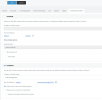
Screen Shot 2021-10-27 at 4.45.11 PM.png

User 400 on server B without error:

Screen Shot 2021-10-27 at 4.45.23 PM.png
 
I have been testing the web meeting API with a 3CX instance running version 18.0.237 and am running into issues on a single instance:

View attachment 25498

If I try on another instance it works perfectly fine - exactly as expected; however, on this one in particular it does not. I have confirmed the Click2Talk/Click2Meet" tabs are identical for each user

User 101 on server A with error:

View attachment 25501

User 400 on server B without error:

View attachment 25500
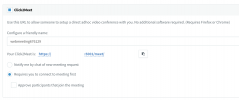
Set it as "requires you to connect to the meeting first" and it should work. That's a requirement for instant meetings (adhoc.)
 
Set it as "requires you to connect to the meeting first" and it should work. That's a requirement for instant meetings (adhoc.)

Interestingly enough after doing that, I still get "WebMeeting is disabled for this user"
 

Attachments

  • Screen Shot 2021-10-27 at 5.01.21 PM.png
    Screen Shot 2021-10-27 at 5.01.21 PM.png
    105.9 KB · Views: 13
Interestingly enough after doing that, I still get "WebMeeting is disabled for this user"
Hmm interesting. Can you check the "approve participants" box and try again?

During our testing we did not experience this but our settings were as I specified above.
 
Same error, unfortunately.

Screen Shot 2021-10-27 at 5.31.30 PM.png

I figured it out, though. An extension must have either a first or last name (or both) filled out, if both the first name and last name fields in the extension are blank, the error above is reported; however, as soon as I put anything in either field, it worked exactly as I expected it to.
 
I figured it out, though. An extension must have either a first or last name (or both) filled out, if both the first name and last name fields in the extension are blank, the error above is reported; however, as soon as I put anything in either field, it worked exactly as I expected it to.
Interesting! Could potentially be a bug of the API. @VasilisV_3CX is this by design?
 
  • Like
Reactions: VasilisV_3CX
I filed a bug report via a ticket just to be sure, I’ll let you know what they say.
 
This appears to be by design:

“This is correct first name or last names are required in the extension as well as an email address to be able to schedule meetings.”
 
This appears to be by design:

“This is correct first name or last names are required in the extension as well as an email address to be able to schedule meetings.”
Good to know!
 
Status
Not open for further replies.

Forum statistics

Threads
111,973
Messages
590,076
Members
164,895
Latest member
jasonkkrause