Solved 3CX Webmeeting app android does not work after March 11 update

Status
Not open for further replies.

Marcos Farias

Premier Customer
Joined
Aug 30, 2020
Messages
10
Reaction score
0
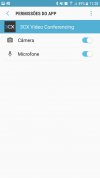
When opening the meeting the app enters the room, but does not send audio and image from the cell phone to the room. It also does not receive the video and audio of the participants who are at the meeting. I uninstalled the app and installed it again, he asked for the mic and cam permissions but the problem still persists.
 
can you state your
Android Device Model
Android Version
Wifi or LTE connectivity?
 
Android Device Model - Samsung SM-A710M
Android Version 7.0
Wifi or LTE connectivity? test performed on both
I'm not registered for beta testing.
the downloaded version is 10.7.0.139
 
Hi there, we ran a basic test and were able to join a meeting where we could see everyone and everyone could see us.

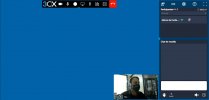
Can you ensure video/audio is enabled via the app or that you have sufficient permissions to enable them whilst in the meeting? Could you also take a screenshot of what the UI looks like when you're logged into the meeting?
 
Can you take a screenshot while you're logged into the meeting from the phone?
Also can you try logging in from 2 computers and see if it works between 2 computers?
 
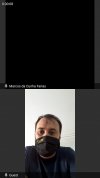
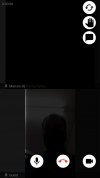
between computers, by internet browser, works perfectly.WhatsApp Image 2021-03-24 at 15.46.37.jpegWhatsApp Image 2021-03-24 at 15.50.24.jpeg
 
Is it possible to have you to test using mobile data? I suspect there is something in his network that blocks udp and somehow the protocol TURN is not working in the app.

Also we have you join a specific meeting we provide you so we can analyze this better? I've sent you a PM with a meeting link.
 
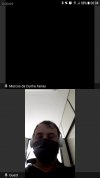
Tested by 4G (mobile data). The problem persists. Personal apologies for not joining the meeting yesterday. Can you send the link again?WhatsApp Image 2021-03-25 at 08.05.42.jpeg
 
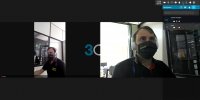
I entered the link for the meeting you sent. But it has a different aspect to the meetings I open with my 3cx. see the difference.
And analyzing the sessions on my firewall, I noticed that the meeting I open here is pointing to a server here in Brazil (São Paulo), but your meeting points to a server in Germany (See the last image). I believe that the server in Brazil needs to be updated.
WhatsApp Image 2021-03-25 at 08.30.42.jpegWhatsApp Image 2021-03-25 at 08.31.08.jpeg
1616672252384.png
 
Hello Marcos, just to register for 3cx support, and try to help, we are experiencing the same problem, we are receiving in the south of Brazil.
 
Good Morning.
Do you have an update for the São Paulo MCU?
Or is there any way to point my switch to use a server that has already been updated?
 
Hi there,

Can you take another look using your own link and let us know if the issue persists? We've made a change on our side.
 
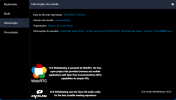
The server I connect to shows that the server version is 1.0.0.0.
I believe that when updating this server, the problem will be corrected.
As the image below.

1617031202911.png
 
Took a look a the issue and were able to replicate. We'll have more news on this once we've had a chance to troubleshoot this further.
 
Hi there, we made a release yesterday that should fix this problem.
Can you retry and let us know?
 
Status
Not open for further replies.

Forum statistics

Threads
111,973
Messages
590,078
Members
164,896
Latest member
sameage