Solved 3CX Windows App v18 - show unregistered extensions

Status
Not open for further replies.

andy.vdg

Free User
Advanced Certified
Joined
Mar 12, 2019
Messages
16
Reaction score
2
Hi

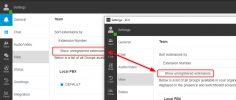
In the webclient I can set the option to show unregistered extensions.
This option is missing from the new Windows app. Any chance you could add it, please? Or have it respect the setting from the webclient?

Thanks.
Andy
 
Hi @andy.vdg,

Are you sure you've provisioned the same extension on both the Web Client and the new Desktop App? Can you send me a screenshot of what you see in the Desktop App?

1630568001239.png
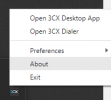
Can you check in the version of the Desktop App, right click the app in the notification area and click about:

1630567907892.png
 
My bad...
When the client is small it puts a small dropdown in the top right corner. I simply didn't see it... :rolleyes:

All good - works as expected.
 
  • Like
Reactions: VasilisV_3CX
Glad you're sorted it out @andy.vdg. Feel free to open a new thread if you require further assistance or information.
 
Status
Not open for further replies.

Forum statistics

Threads
112,025
Messages
590,368
Members
164,978
Latest member
FringeIT-Eric