- Joined
- Dec 13, 2011
- Messages
- 576
- Reaction score
- 23
Hi,
for test purpose i tried to install 3c ebian (offical 3cx .iso file), when I get prompt choose 1 or 2 (WEB browser or CLI; I choosed Web browser) nothing happend; manual says go to http://IP_address:5015 but nothing is showing up (i put te corectt IP).
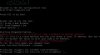
I also tried 127.0.0.1:5015 because VM is on the same host. In CLI status is like in the attach
Also under the network settings i choose Bridge Adapter (just linke says in the manual):
https://www.3cx.com/docs/debian-linux-using-virtualbox/
Am i doing somethnig wrong or?
Thanks
for test purpose i tried to install 3c
ebian (offical 3cx .iso file), when I get prompt choose 1 or 2 (WEB browser or CLI; I choosed Web browser) nothing happend; manual says go to http://IP_address:5015 but nothing is showing up (i put te corectt IP).I also tried 127.0.0.1:5015 because VM is on the same host. In CLI status is like in the attach
Also under the network settings i choose Bridge Adapter (just linke says in the manual):
https://www.3cx.com/docs/debian-linux-using-virtualbox/
Am i doing somethnig wrong or?
Thanks