Solved 3CXQueueManager.log Configration Error

Status
Not open for further replies.

Alp Batuhan

Platinum Partner
Basic Certified
Joined
Mar 26, 2018
Messages
19
Reaction score
1
Hello,

I have used V16 demo version. Maybe reason of problem is that I don't know. Is there anyone who can help me?

I'm trying to 3cx V16.0.676. I developed many projects on V15 and V15.5. I have a new problem that is, 3CXQueueManager.log file is empty. Normally, I should have seen IVR and Queues log but no new logs.

3CXQueueManager.log
2019/10/11 11:32:47.195|Info| ------------|Log is started
2019/10/11 11:32:47.197|6504|0004|Info|New Severity is set Highest
2019/10/11 11:32:47.203|6504|0004|Info|New Severity is set 35
2019/10/11 11:36:04.641|6504|0005|Info|Log is closed
2019/10/11 11:36:26.065|Info| ------------|Log is started
2019/10/11 11:36:26.068|4644|0004|Info|New Severity is set Highest
2019/10/11 11:36:26.074|4644|0004|Info|New Severity is set 35
2019/10/11 11:58:42.220|4644|0006|Erro|Attempt to connect to Configuration Manager has failed: Connection to configuration server is lost
 
++
Addition;
I am working on V16 Pro Edition.
 
Hello @Alp Batuhan

Did you make any Queue calls? What you are describing the is log before any queue calls are made. Make sure you set the logging to verbose and try a queue call. The log should populate after that
 
Hello @YiannisH_3CX

First of all thank you for your answer. I made a call with Digital Receptionist. I have created a extension in Digital Receptionist and It have Send Call to Call Flow Apps action. This call flow apps is my IVR. IVR have some conditions(input, date time conditions, prompts ..) and send the call to the private queue. When I have called the my Digital Receptionist Extension, I transferred the call to my call flow app with dtmf input the I have done my process in my IVR. Normally, That process should have created a log in 3CXQueueManager.log file under same conditions but no new logs.

Sincerely,
 
Can you call a queue directly without involving the call flow app and see if any logs populate in the log file? Just create a simple queue, put your extension as a member and call the queue.
 
Hello @YiannisH_3CX

Queue is not important for me. I need logger for my Call Flow Apps. You can find my request below.

3CXQueueManager.log V16 Pro Edition Demo
2019/10/11 11:32:47.195|Info| ------------|Log is started
2019/10/11 11:32:47.197|6504|0004|Info|New Severity is set Highest
2019/10/11 11:32:47.203|6504|0004|Info|New Severity is set 35
2019/10/11 11:36:04.641|6504|0005|Info|Log is closed
2019/10/11 11:36:26.065|Info| ------------|Log is started
2019/10/11 11:36:26.068|4644|0004|Info|New Severity is set Highest
2019/10/11 11:36:26.074|4644|0004|Info|New Severity is set 35
2019/10/11 11:58:42.220|4644|0006|Erro|Attempt to connect to Configuration Manager has failed: Connection to configuration server is lost

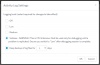
That is my other project 3CXQueueManager.log file which is V15.5 Pro Edition
19/10/30 13:53:45.038|100050| Trc|75|0024|: PlugIn[IOSB_Dialer - Dialer - MainFlow - DialerID 0] Trace: Starting dialer cycle
19/10/30 13:53:45.038|100050| Trc|75|0024|: PlugIn[IOSB_Dialer - Dialer - MainFlow - DialerID 0] Trace: Start executing component 'HttpRequestGetAnnounce'
19/10/30 13:53:45.038|100050| Trc|75|0024|: PlugIn[IOSB_Dialer - WebInteractionComponent - DialerID 0] Trace: Start executing component with uri='http://localhost//IOSB-IVR-Services//DialerDisArama.aspx?pNu=1&m=Check' - httpMethod='GET' - contentType='' - content''
19/10/30 13:53:45.046|100050| Trc|75|0048|: PlugIn[IOSB_Dialer - WebInteractionComponent - DialerID 0] Trace: End executing component with responseStatusCode='200' - responseContent: NoData
19/10/30 13:53:45.047|100050| Trc|75|0024|: PlugIn[IOSB_Dialer - Dialer - MainFlow - DialerID 0] Trace: Start executing component 'AssignVariable1'
19/10/30 13:53:45.047|100050| Trc|75|0024|: PlugIn[IOSB_Dialer - VariableAssignmentComponent - DialerID 0] Trace: Start executing component with variableName='project$.tel' - variableValue='NoData'
19/10/30 13:53:45.047|100050| Trc|75|0024|: PlugIn[IOSB_Dialer - Dialer - MainFlow - DialerID 0] Trace: Start executing component 'CreateCondition1'
19/10/30 13:53:45.047|100050| Trc|75|0024|: PlugIn[IOSB_Dialer - Dialer - MainFlow - DialerID 0] Trace: Dialer cycle finished
19/10/30 13:53:45.577|100046| Dbg|90|0052|: Audio (id=2) has been played for call QC:AMRLEORPNNQX[05528076767->7010]
19/10/30 13:53:45.587|100050| Trc|75|0006|: PlugIn[IOSB_Main_IVR - CallHandler - CallID AMRLEORPNNQX] Trace: OnPromptPlayed: obj='2'
19/10/30 13:53:45.587|100050| Trc|75|0010|: PlugIn[IOSB_Main_IVR - Callflow - MainFlow - CallID AMRLEORPNNQX] Trace: OnPromptPlayed for component 'Loop1'

Sincerely,
 
Hello @Alp Batuhan

Did you make any Queue calls? What you are describing the is log before any queue calls are made. Make sure you set the logging to verbose and try a queue call. The log should populate after that

Hi @YiannisH_3CX

I checked my Activity Log Setting again and updated to Verbose mode. Now, I could access to my logs in 3CXCallFlow.log file.

12957

Thank you so much. Sincerely,
 
  • Like
Reactions: YiannisH_3CX
Status
Not open for further replies.

Forum statistics

Threads
111,934
Messages
589,818
Members
164,811
Latest member
aurorasigntrtechitnet