429 Too many requests: Startup client loops

homli

Customer
Joined
Feb 1, 2025
Messages
6
Reaction score
0
Similar to this one: https://www.3cx.com/community/threads/startup-webclient-just-loops.116061/

We are hosting 3CX on AWS and I'm trying to login to the web console as an admin and it keeps saying "Disconnected. Reconnecting in XX seconds.". In the developer console it says POST https://xxx.3cx.eu/webclient/api/MyPhone/session 429 (Too Many Requests).

This happens every 2-3 weeks and the only way to fix it is to restart the server which is not convenient at all. Any way we can get past it without a restart?
 
Hi,

Does the instance have enough resources, as per: https://www.3cx.com/docs/recommended-hardware-specifications-for-3cx/#h.4z53dfbtxlno ? Installation was as per guidelines, no other software running on the same instance?

Any chance your server is being attacked in some way? If you could check via AWS if some unexpected IPs are hitting you repeatedly?
Hello, yes we are using more than enough compute for this (we only have 5 users). Network traffic looks normal and in general the server works fine (our agents continue making calls normally through the mobile app), it's just the web client that doesn't work for me.
 
Using Chrome/Edge?
 
Hello @homli,

Could you take a look at "Dashboard->Active Connections"? Monitor daily to see if any sessions are stuck there. This could be due to a bad web proxy between you and the PBX for example.

Also in "Dashboard->Activity logs->Settings", set to keep backup for 5 or ten days, should allow you to go back and see what was happening even after a reboot.

Best,
KS
 
Hello @homli,

Could you take a look at "Dashboard->Active Connections"? Monitor daily to see if any sessions are stuck there. This could be due to a bad web proxy between you and the PBX for example.

Also in "Dashboard->Activity logs->Settings", set to keep backup for 5 or ten days, should allow you to go back and see what was happening even after a reboot.

Best,
KS
I'm not doing any calls myself, I'm just administrating the system. On the active calls, there have been a couple of times over the last few months where a call got stuck (a user did hang up but the system still had the call as active and I had to do a soft reboot of the software to clear).

However, why would this affect my ability to log in the system with a 429 error?
 
Hi,

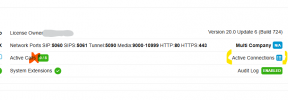
Not Active Calls, Active Connections:
1750853661260.png
 
Hi,

Not Active Calls, Active Connections:
View attachment 48377
Oh sorry about that. I see a lot of active connections there, but many are from a few days ago with "Last Active On" many days ago as well. How should I interpret the information in this table?
 
You can always revoke them, but there is probably an underlying networking cause, something keeping the connections open.

I suggest investigating where the connections are from and if there is anything in-between the connection source and the PBX that might be keeping those sessions open if they should be closed.

Perhaps a packet capture might help you trace where/why they are there.
 
Hi @homli ,

I send you a PM.

Thanks,
KS