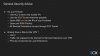
Ok so that's not conflicting It actually more so illustrates my point. For the firewall checker to pass, your ports need to be accessible to the 3CX testing ranges at a mininum. So technically you can block your SIP provider and still have the firewall checker pass, you just won't have a working system. For a basic, functioning system, you have all the ports open and the 3CX firewall checker does it's best to confirm that. Once you have a working system, then, if you desire, you can enhance security by future restricting access per that security slide. It's not conflicting, it's just not mentioned/implied that you have to undo those changes if you later want to run the firewall checker which also illustrates point. If you don't know why you are doing things, you shouldn't do it. It's not up to 3CX's support (or anyone here on the forums for that matter) to understand what someone might have done different from base install. So if you are asking for support with something that can be related to the firewall/network, it is expected you can get your system to the standard of passing the firewall checker while troubleshooting.
The forums are littered with posts for people that made changes to the firewall and then don't understand why they have one-way audio or other issues. And it's entirely possible to pass the firewall checker and still have issues based on the design, the same as you can have a completely working setup that fails the firewall checker. It's just a tool to establish a baseline and help troubleshoot, but whoever is installing or maintaining 3CX is expected to have a solid understanding of networking principles. This is why when VoIP came out, your old school phone vendors floundered and IT/Networking guys started selling phone systems.