- Joined
- Mar 29, 2016
- Messages
- 35
- Reaction score
- 2
I'm running 3CX Version 20.0 Update 5 (Build 551 Release)
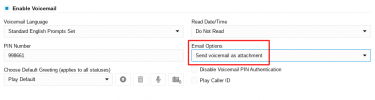
I have an extension where Voicemail PIN Authentication is enabled under the Voicemail tab. However, I also have another extension where Voicemail PIN Authentication is turned off.
When I try to access the voicemail of the extension with PIN authentication enabled, I dial 6666,extension,PIN#, but it just says "no messages," even though there are messages. However, if I enable Voicemail PIN Authentication on the extension I'm dialing from, it works as expected.
Is there a way to prevent this? It seems odd that accessing voicemail on an extension with PIN authentication enabled depends on the calling extension also having PIN authentication turned on.
Thanks!
I have an extension where Voicemail PIN Authentication is enabled under the Voicemail tab. However, I also have another extension where Voicemail PIN Authentication is turned off.
When I try to access the voicemail of the extension with PIN authentication enabled, I dial 6666,extension,PIN#, but it just says "no messages," even though there are messages. However, if I enable Voicemail PIN Authentication on the extension I'm dialing from, it works as expected.
Is there a way to prevent this? It seems odd that accessing voicemail on an extension with PIN authentication enabled depends on the calling extension also having PIN authentication turned on.
Thanks!