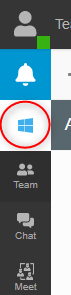
Activate your 3CX browser extension cannot be found on web client. pbx is v18

Status
Not open for further replies.

cigweze

Customer
Joined
Jul 21, 2021
Messages
5
Reaction score
0
hello Guys, i am trying to integrate 3CX to be used to make calls from CRM. After installing the Chrome/Edge browse extension and logged in to web client, i cannot find a place to Activate the Browser extension therefore cannot launch 3CX softphone. My PBX is version 18.Please kindly assist.
 
Thanks Frederick for your quick response. I have installed the windows app and it is running fine. I open my CRM(Bitrix24 and Dynamics 365) on both Windows and web apps but when i want to make outbound calls, there is no connection with 3CX windows app. Please how do i resolve this?
 
Hi @cigweze,

Something you may want to check out: https://www.3cx.com/community/threads/v18-alpha-5-new-native-desktop-app.82175/page-11#post-387445

Mr Galea mentioned: "There will be a chrome extension that recognizes numbers and converts them to a call to that can be used with 3CX. There are some extensions already out there, general that work but for ease of use we will make one."

For the time being, consider using a 3rd party plugin: https://www.3cx.com/community/threads/3cx-v18-client-gui-problems.83399/#post-388734
 
Last edited:
  • Like
Reactions: Evolute IT
Status
Not open for further replies.

Forum statistics

Threads
111,978
Messages
590,100
Members
164,907
Latest member
d.obermeier