- Joined
- Feb 1, 2020
- Messages
- 15
- Reaction score
- 0
Hi,
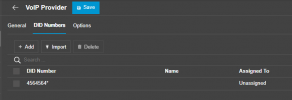
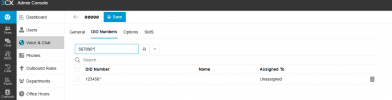
In V18 I was able to add an inbound number range to a SIP Trunk and a Ring Group by adding an Asterisk * after the first set of numbers, so the number range 61299354600 to 61299354699 could be input as 612993546*. Those types of entries are still in our system and still seem to work... If I try and do this in V20 now, it does not work. How do I do this? I've resorted to doing the bulk import for the SIP trunk but how do I do the same for the Ring Group. What am I missing?
Thanks.
In V18 I was able to add an inbound number range to a SIP Trunk and a Ring Group by adding an Asterisk * after the first set of numbers, so the number range 61299354600 to 61299354699 could be input as 612993546*. Those types of entries are still in our system and still seem to work... If I try and do this in V20 now, it does not work. How do I do this? I've resorted to doing the bulk import for the SIP trunk but how do I do the same for the Ring Group. What am I missing?
Thanks.