- Joined
- Jan 29, 2019
- Messages
- 209
- Reaction score
- 18
Hi,
Been a while since I've done this but followed the instructions https://www.3cx.com/sip-phones/manually-provision-yealink-dect/ and not had any joy. Not sure if I've missed something?
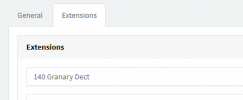
I've provisioned the base no problem and added the extension I want to use the handset in the extensions section but the phone's not appearing in the phones group or the extension I've added the phone to? Have I missed an additional step?
Been a while since I've done this but followed the instructions https://www.3cx.com/sip-phones/manually-provision-yealink-dect/ and not had any joy. Not sure if I've missed something?
I've provisioned the base no problem and added the extension I want to use the handset in the extensions section but the phone's not appearing in the phones group or the extension I've added the phone to? Have I missed an additional step?