- Joined
- Mar 20, 2018
- Messages
- 63
- Reaction score
- 6
Hello everyone,
We are currently using 3CX Version 18.0 Update 9 (Build 31).
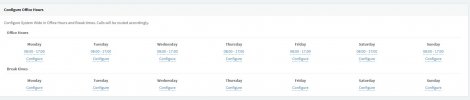
In our production facility, some manufacturing staff use DECT phones as extensions. Originally, these DECT extensions were set up to block external calls outside business hours. The office phones were not affected.
We now intend to modify or remove this restriction.
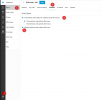
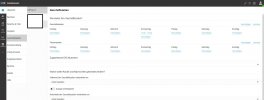
As a result, the "Disable External Calls" option found under
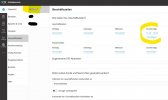
Unfortunately, the ability for individual setting adjustments seems to have disappeared for the admin. The only option I am aware of that affects all users globally is under
I have two questions:
1)
I would like to remove the restriction for DECT users. What is the best way to do this?
2)
If I want to change the settings for some DECT users, how can I do this? Is it possible to temporarily enable the web client for these DECT user (one by one), and if so, where would I find this setting, perhaps in the Edge PWA?
Thank you for your help.
We are currently using 3CX Version 18.0 Update 9 (Build 31).
In our production facility, some manufacturing staff use DECT phones as extensions. Originally, these DECT extensions were set up to block external calls outside business hours. The office phones were not affected.
We now intend to modify or remove this restriction.
As a result, the "Disable External Calls" option found under
\Users\User\Options\Restrictions\ automatically activates based on the initially set schedule.Unfortunately, the ability for individual setting adjustments seems to have disappeared for the admin. The only option I am aware of that affects all users globally is under
\Settings\General\, which is "Automatically disable outgoing calls outside business hours".I have two questions:
1)
I would like to remove the restriction for DECT users. What is the best way to do this?
2)
If I want to change the settings for some DECT users, how can I do this? Is it possible to temporarily enable the web client for these DECT user (one by one), and if so, where would I find this setting, perhaps in the Edge PWA?
Thank you for your help.