- Joined
- Jan 31, 2022
- Messages
- 12
- Reaction score
- 2
Dear all,
after the upgrade of 3CX to v.18 webmeeting switch to a new exciting mode but stop working via browser.
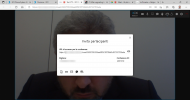
It starts, appear the webcam and audio configuration, then when I try to enter the conference it tells: "Please retry the connection..."
if i try to enter via mobile web app it works perfectly. Idem if I use Dial call to join the meeting.
I've just checked the WEBMEETING_INDEX (correct).
Firewall is fine (only SIP ALG doesn't work, and i correct it)
WebMeeting bridge in SIP Trunk works fine (all settings are correct)
Where is the problem?
Sincerely
after the upgrade of 3CX to v.18 webmeeting switch to a new exciting mode but stop working via browser.
It starts, appear the webcam and audio configuration, then when I try to enter the conference it tells: "Please retry the connection..."
if i try to enter via mobile web app it works perfectly. Idem if I use Dial call to join the meeting.
I've just checked the WEBMEETING_INDEX (correct).
Firewall is fine (only SIP ALG doesn't work, and i correct it)
WebMeeting bridge in SIP Trunk works fine (all settings are correct)
Where is the problem?
Sincerely