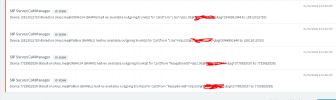
Solved All Calls now marked as "Temporarily Unavailable"

Status
Not open for further replies.

MikeBAM

Free User
Joined
Jan 25, 2022
Messages
22
Reaction score
3
Updated from v14 to v16 last Friday, and everything seemed to be working fine. All calls from one phone to another inside the network worked fine. I came in Monday, and discovered that all phone calls made out of and into our company are failing. The message "Temporarily unavailable" keeps showing on our phones as we try to dial.

All I did was backup the system from one PC and move it to another system onsite (so I could re-provision back to the old server if there were any problems). We need our phones back ASAP and I am not an expert on 3CX. I made the switch primarily due to the "end-of-life" announced for anything before v16 coming up shortly.

We have Yealink T29Gs and I updated to the firmware 3CX recommended. It does say "firmware not supported" on all these phones, despite the guide saying this particular one worked.
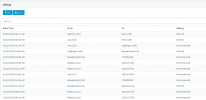
calls failing.PNG
 
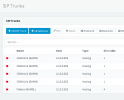
Looks like our trunks went down for some reason... I know our "3CX gateway IP" was changed for the new machine, so I presume I need to tell the trunks to route there instead (unless there are other current issues)...
Capture.PNG
 
Think I've solved it, the SIP trunks were trying to provision to the old IP. This system is quite complex 0_0
 
  • Like
Reactions: YiannisH_3CX
Glad to see you were able to resolve this. Usually what other do is either upgrade in place on the same machine so that your upgraded PBX has the same local IIP address or switch the "old" machine off and give the new machine the same local IP address. This saves you the trouble of creating new firewall settings (forwarding) or reconfiguring all devices to connect to the new IP.

Let us know if you face any more issues.
 
Glad to see you were able to resolve this. Usually what other do is either upgrade in place on the same machine so that your upgraded PBX has the same local IIP address or switch the "old" machine off and give the new machine the same local IP address. This saves you the trouble of creating new firewall settings (forwarding) or reconfiguring all devices to connect to the new IP.

Let us know if you face any more issues.
This would have been my solution if we weren't trapped on a Windows 7 machine and if this wasn't my first time working with 3CX. The decision to select a new server was mostly based on the ability to be able to swap the phones back to the old server should anything have gone wrong.

I do still need to figure out how to move the last 3 weeks of voicemails off the old server to the new one
 
Those should have been included in your backup. If you upgraded step by step from V14 to V16 then your voicemails should be there.
If you skipped a step (which might cause other issues as well) or if you did not include them in your backup then you cannot import them now into the system. Your best bet is to save them somewhere for archiving purposes.
 
Those should have been included in your backup. If you upgraded step by step from V14 to V16 then your voicemails should be there.
If you skipped a step (which might cause other issues as well) or if you did not include them in your backup then you cannot import them now into the system. Your best bet is to save them somewhere for archiving purposes.
Oh they were included. The issue was that I didn't do everything in one day. There is a 3 week span between the day the backup was used to create v16 and today.
 
Status
Not open for further replies.

Latest Posts

Forum statistics

Threads
112,324
Messages
591,897
Members
165,475
Latest member
lastshadow