- Joined
- Sep 27, 2016
- Messages
- 279
- Reaction score
- 51
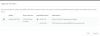
15.5 Update 4 brought with it a feature called "Alternative 3CX Supported Firmware". Is there any documentation on this other than the blog post announcing the release of Update 4? I ticked the checkbox in settings and don't know what I expected to be different. My phone with 'too new for 3CX' Yealink firmware still says Not Supported.
Does this mean I can add firmware to the firmware/yealink folder and it'll allow me to upgrade my phones to that? I'm just... not sure what this feature really does and can't find documentation on it.
Does this mean I can add firmware to the firmware/yealink folder and it'll allow me to upgrade my phones to that? I'm just... not sure what this feature really does and can't find documentation on it.