Android 10 no inbound call notification

Status
Not open for further replies.

tdtech

Customer
Joined
Oct 1, 2019
Messages
16
Reaction score
5
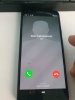
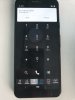
I recently updated my phone (Essential PH1) to Android 10. Inbound calls no longer pop up on the screen like a normal inbound phone call. You can hear the call ring, but the only notification is a small notification like a messenger type app. In order to answer a call, you need to find and launch the app. As you can imagine, this pretty much ruins any usefulness of the mobile app overall.

This also happens with Zoiper for me on Android 10, and I have seen reports that other SIP clients are also having the same issue, so I am assuming something pretty big changed with Android 10 and the way alternate calling applications work on it.

I assume you have seen this issue. Do you have any status on a workaround or fix?
 
Seems like you are not on the latest Beta. Follow the guide, subscribe to the beta program and use the latest client.
The current stable client on the play store will be discontinued and yes - it has major issues on android 10 because it was developed to accommodate all Android os except 9 and 10.

Join the beta program
https://play.google.com/apps/testing/com.tcx.sipphone14
 
I'm now on the beta and it still has the same problem. My android is active, I place a call, it rings, but nothing comes up on the screen. I enter the app while the phone is ringing and see absolutely no way to answer the call. I then go in to my notifications where I see a notification about an inbound call, and open that and finally get to the inbound call screen where I can answer the call. But I see no other way to answer the call on Android 10.

As I mentioned, this has been an issue on several other SIP clients as well on Android 10.
 
I noticed in another thread you mentioned this is an OS problem created by Google, and you asked for examples of apps that have fixed or worked around the problem.

The latest beta of Zoiper works as expected. It wakes the phone, shows an inbound call on the screen and I can answer it just like before Android 10.

I can confirm the non-beta version of Zoiper has the exact same problems your app does, so that shows they have figured out how to overcome this new Android 10 problem
 
  • Like
Reactions: nb
I'm now on the beta and it still has the same problem. My android is active, I place a call, it rings, but nothing comes up on the screen. I enter the app while the phone is ringing and see absolutely no way to answer the call. I then go in to my notifications where I see a notification about an inbound call, and open that and finally get to the inbound call screen where I can answer the call. But I see no other way to answer the call on Android 10.

As I mentioned, this has been an issue on several other SIP clients as well on Android 10.

Make a video and post it - let me see..
You should have the following:
When phone is locked normal behavior.
When app is launched or phone is unlocked you should get the white notification dialog.
Can you confirm / make a video what is happening?

This is incoming call PUSH when phone is locked (Android 10 + Pixel)
12495


This is incoming call PUSH when phone is UNLOCKED (Android 10 + Pixel)
12496

Do you guys get the same. the BETA MUST work like this. The previous beta had a but. Check what version you have. You must be working on 16.1.0.39.
 
I noticed in another thread you mentioned this is an OS problem created by Google, and you asked for examples of apps that have fixed or worked around the problem.

The latest beta of Zoiper works as expected. It wakes the phone, shows an inbound call on the screen and I can answer it just like before Android 10.

I can confirm the non-beta version of Zoiper has the exact same problems your app does, so that shows they have figured out how to overcome this new Android 10 problem


Once second maybe we are having some version miscommunication - because I know zoiper inside out. And yes the latest zoiper works as you described. Like whats app and telegram. Like our beta.

Of course the old version cannot work like this and will be buggy because the old version was never designed nor updated to work with android 10. We do not want to hear about the old 3CX Version anymore. That is going to be shot down and put as an apk link on a 3CX site for users that dont want to update. We are only interested in the beta feedback. (Maybe I will put the version number in red on display so until it is final we can see the version number all the time.
 
Making a video now.

3CX app - 16.1.0.39
3CX system - 16.0.3.525
PUSH is configured on our 3CX system
Android 10 on an Essential PH-1 phone

The Zoiper I am using is 2.9.17
 
Making a video now.

3CX app - 16.1.0.39
3CX system - 16.0.3.525
PUSH is configured on our 3CX system
Android 10 on an Essential PH-1 phone

The Zoiper I am using is 2.9.17

What about Settings > Advanced Car/bluetooth option? Is this on or off?
Also prepare to find a friend or someone with android and double check on his/her phone.. Because we need to double check with bug players - samsung huawei google motorola etc.
 
Here is the video. I'll see if I have someone with a bigger brand phone to reproduce the problem.

 
  • Like
Reactions: rjamesm2884 and nb
Hello thank you for this video
Show me permissions. See if you have something disabled there.
Give me the exact brand and model of this phone - I think we need to add this to the "Exceptions" list to tell android to allow 3CX to interact with the lock screen. I have seen this problem before.
I want to see Settings About phone - Screener so I get the exact model ID.
 
  • Like
Reactions: Evolute IT
I saw the other thread about this issue, so I will run through his process of removing cache, etc, unistalling and reinstalling and immediately setting up QR. I'll report back.
 
Okay, I uninstalled, rebooted, installed the 3CX beta from the play store, ran it and scanned the QR code. I made a test call and the notifications are working. I have rebooted and they continue to work, so it looks like you found the culprit with something not being set right!
 
  • Like
Reactions: JohnS_3CX
Hi @tdtech

Please remeber to update your PBX too because the final version of Update 3 is out.
Don't stay on the alpha edition.
 
Status
Not open for further replies.

Members Online Now

No members online now.

Forum statistics

Threads
111,832
Messages
589,286
Members
164,662
Latest member
DejanMDS