


- Joined
- Aug 3, 2017
- Messages
- 18
- Reaction score
- 1
Just a heads up to everyone.
Since Update 5 for V16 -3cxtunnel.exe is being detected and malware by some AV software. We have several sites using Sophos Central. after upgrade Sophos central delete the 3cxtunnel.exe applications and service. This means any remote users using the tunnel port 5090 will not be able to connect.
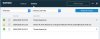
As it deletes the file and service you need to recover as follows::
) Go to central, open 3CX server, look at Events, find where 3CXTunnel.exe is blocked and whitlist it
2) File will be restored to c:\program files\3cx phone system\bin\3cxtunnel.exe
3) Once file is there run this elevated sc.exe create 3CXTunnel01 binPath= "C:\Program Files\3CX Phone System\Bin\3CXTunnel.exe" DisplayName="3CX PhoneSystem 01 SIP/RTP Tunneling Proxy"
4) Open services and set to auto and then start it
Not sure if other AV software is having the same issue. Hopes this helps other Sophos Central users.
Since Update 5 for V16 -3cxtunnel.exe is being detected and malware by some AV software. We have several sites using Sophos Central. after upgrade Sophos central delete the 3cxtunnel.exe applications and service. This means any remote users using the tunnel port 5090 will not be able to connect.
As it deletes the file and service you need to recover as follows::
) Go to central, open 3CX server, look at Events, find where 3CXTunnel.exe is blocked and whitlist it
2) File will be restored to c:\program files\3cx phone system\bin\3cxtunnel.exe
3) Once file is there run this elevated sc.exe create 3CXTunnel01 binPath= "C:\Program Files\3CX Phone System\Bin\3CXTunnel.exe" DisplayName="3CX PhoneSystem 01 SIP/RTP Tunneling Proxy"
4) Open services and set to auto and then start it
Not sure if other AV software is having the same issue. Hopes this helps other Sophos Central users.


