AWS2P Silver Partner Basic Certified Joined Jan 9, 2014 Messages 5,076 Reaction score 1,096 Nov 11, 2019 #1 Hi, I've to setup a meeting phone Alcatel IP 1550 SIP, this is a phone provided by my customer on which I have no experience at all. Have you already used one, if so, is it friendly to setup or not ? Any advise would be appreciate, thanks.
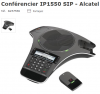
Hi, I've to setup a meeting phone Alcatel IP 1550 SIP, this is a phone provided by my customer on which I have no experience at all. Have you already used one, if so, is it friendly to setup or not ? Any advise would be appreciate, thanks.
leejor Customer Joined Jan 22, 2008 Messages 16,664 Reaction score 1,656 Nov 11, 2019 #2 It looks to be a SNOM C529, but firmware may be Alcatels own concoction.
AWS2P Silver Partner Basic Certified Joined Jan 9, 2014 Messages 5,076 Reaction score 1,096 Nov 11, 2019 #3 Hi Leejor, Yes you are Surely right found a snom C520, seems the same hardware surely all coming From RTX
Hi Leejor, Yes you are Surely right found a snom C520, seems the same hardware surely all coming From RTX
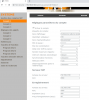
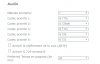
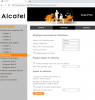
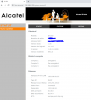
AWS2P Silver Partner Basic Certified Joined Jan 9, 2014 Messages 5,076 Reaction score 1,096 Jan 16, 2020 #4 Some REX to say what i did to have it working (easily) with 3CX V16 SP4 on OVH cloud phone behind an SBC (windows version) First i got admin manual PDF file as in the phone box there's a quick guide only with no technical infos. PDF Admin file is here You need to follow instructions for conference IP1850 model.Default credentials are admin admin Choose your preferred language for web GUI and phone, to do this go in preferences menu Network, by default DHCP is enabled, i change it to static from network menu Create an account on 3CX side Phone has no template as it is unsupported one, so account settings are done manually Change audio codec to your preferred check in 3cx console if phone is registred Now enjoy your new phone, is ready to work. Last edited: Jan 16, 2020 Reactions: Clément Rousseau
Some REX to say what i did to have it working (easily) with 3CX V16 SP4 on OVH cloud phone behind an SBC (windows version) First i got admin manual PDF file as in the phone box there's a quick guide only with no technical infos. PDF Admin file is here You need to follow instructions for conference IP1850 model.Default credentials are admin admin Choose your preferred language for web GUI and phone, to do this go in preferences menu Network, by default DHCP is enabled, i change it to static from network menu Create an account on 3CX side Phone has no template as it is unsupported one, so account settings are done manually Change audio codec to your preferred check in 3cx console if phone is registred Now enjoy your new phone, is ready to work.