


- Joined
- Aug 11, 2023
- Messages
- 1
- Reaction score
- 0
I'm relatively new to 3CX, so I apologize if I'm missing something obvious here...
I'm evaluating a Fanvil i53W - I know it's not officially supported by 3CX, but I see mentions of it in other posts where it sounds like people have it working. Fanvil tech support sent me a custom template for i53W. I added the template in 3CX (3CX Pro 18.0 Update 8 Build 912), restarted services, and now I see i53W as a choice under Custom in the phone type list.
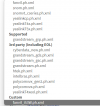
When I factory reset the phone and put it on the local network, 3CX discovers the phone and recognizes it as an i53W (did so even before I added the template), but I can't do anything with it. All of the options are grayed out except for "Reject." I can't follow the 3CX instructions for a custom template phone because it says to select Add or AssignExt - those are always grayed out. I tried going into a user and adding the phone there, selecting the custom template, and pasting the MAC address, and hitting OK. But that never links the phone to the extension - in the phone list it always remains with all options grayed out except Reject. The Reprovision option is also always grayed out.

I've tried other things:
I'm evaluating a Fanvil i53W - I know it's not officially supported by 3CX, but I see mentions of it in other posts where it sounds like people have it working. Fanvil tech support sent me a custom template for i53W. I added the template in 3CX (3CX Pro 18.0 Update 8 Build 912), restarted services, and now I see i53W as a choice under Custom in the phone type list.
When I factory reset the phone and put it on the local network, 3CX discovers the phone and recognizes it as an i53W (did so even before I added the template), but I can't do anything with it. All of the options are grayed out except for "Reject." I can't follow the 3CX instructions for a custom template phone because it says to select Add or AssignExt - those are always grayed out. I tried going into a user and adding the phone there, selecting the custom template, and pasting the MAC address, and hitting OK. But that never links the phone to the extension - in the phone list it always remains with all options grayed out except Reject. The Reprovision option is also always grayed out.
I've tried other things:
- tried i53W firmware 2.12.6 and 2.12.9 (latest)
- tried fully restarting the 3CX (locally hosted) server (in case I didn't restart the right combination of services)


